Cash close
Close the till and know if it adds up.
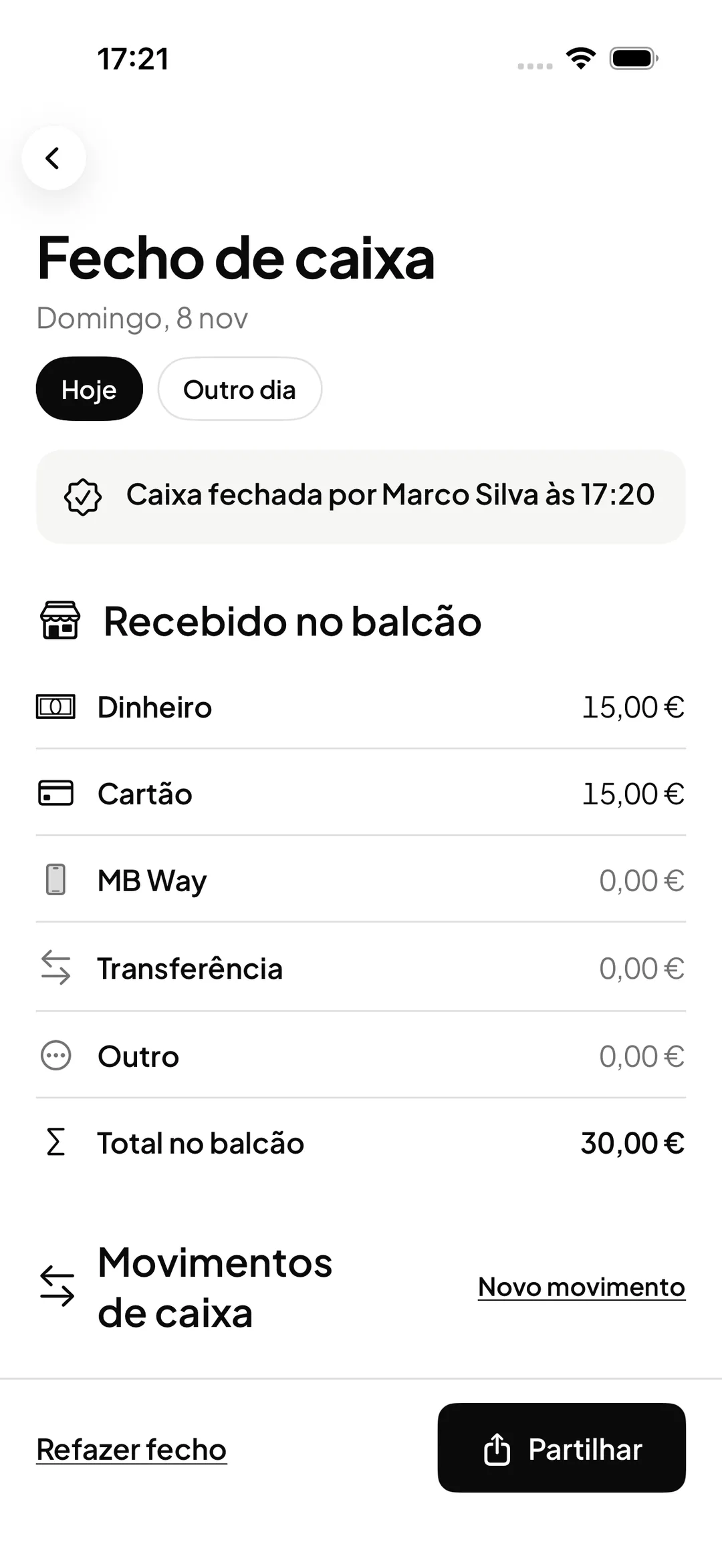
At the end of the day, ORAS shows what came in at the counter and how much cash should be in the till. Count it, see the difference and keep the close.

What it does
The expected amount, worked out
Opening float, plus the cash received, plus cash in, minus cash out. The total for each payment method sits beside it.
Cash in and cash out
A supplier payment, a bank deposit, more change or another reason, with who recorded it and when.
A blind count at reception
Reception counts without seeing the expected amount. The difference appears once the till is closed.
One record per day
Every close is kept with the count, the difference and the amount left in the till. Redoing a close never erases the earlier one.
How it works
Record the movements
During the day, record the cash that leaves or enters the till outside sales, such as a payment to a supplier.
Count at the end of the day
Open the cash close, count the cash and enter the amount counted and the amount left in the till for the next day.
See the difference
ORAS compares the count with the expected amount and shows whether cash is short or over.
Look back at earlier closes
The owner and the manager see each month’s closes, a summary of the differences and the month’s cash report as PDF and CSV.
Frequently asked questions with straight answers.
Who can close the till?
The owner, the manager and reception. Reception closes today and yesterday and counts without seeing the expected amount. Professionals have no access to the cash close.
What if nobody closes the till?
You can switch on the automatic close at 00:00 in the settings. ORAS keeps a close for each day with movement that was left open, without a count, and that day can be counted later.
Is there a monthly cash report?
Yes. Each month’s cash report, as PDF and CSV, comes attached to the report email and is available on the computer for the owner and the manager.
Where is the cash close done?
In the iPhone and Android apps. The owner has a shortcut on the Hoje screen at the end of the day.
Related features
Recorded payments
Every payment recorded, linked to the booking.
Every payment with client, professional and method, refunds, and an export for your accountant.
Learn more Recorded paymentsAnalytics and occupancy
The business’s numbers, without spreadsheets.
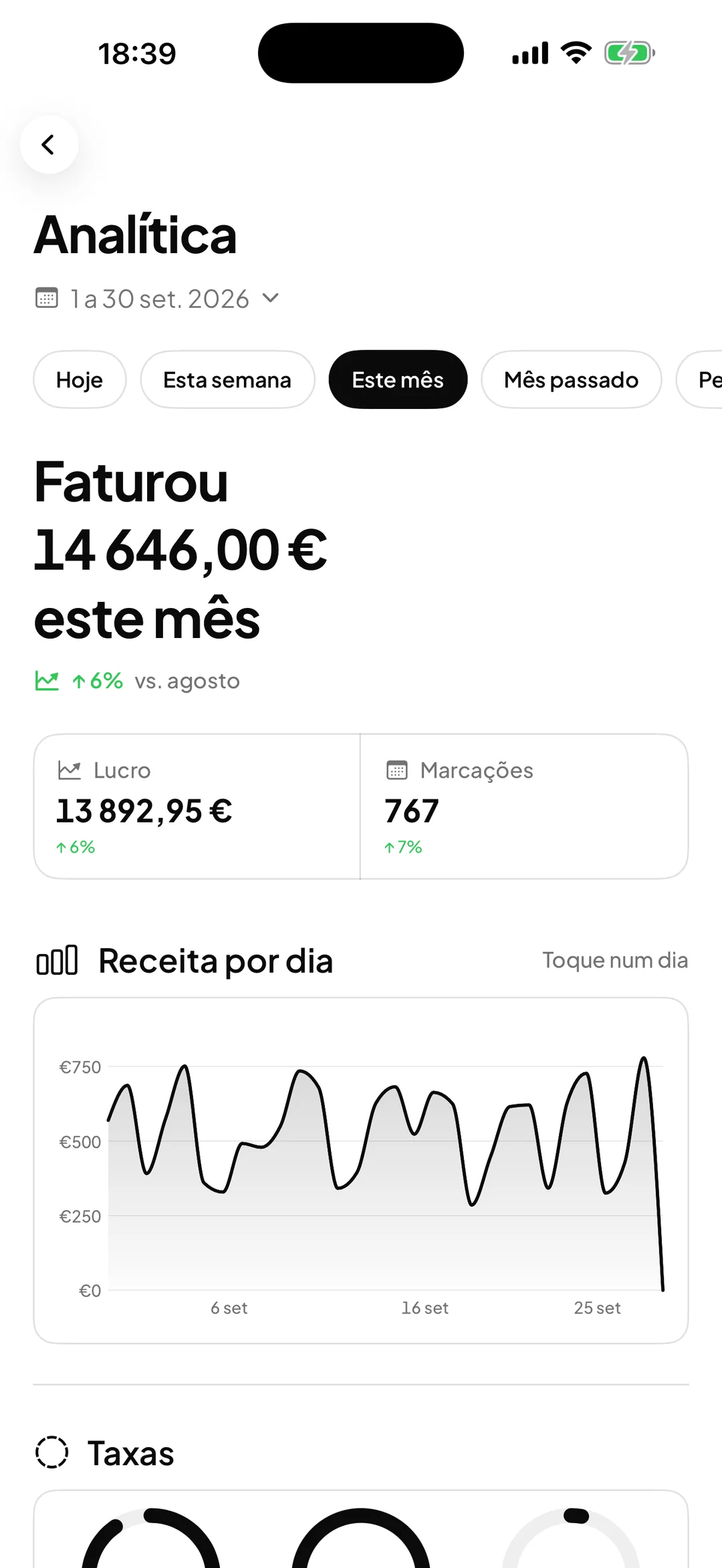
Revenue, profit, services, team and how full every day of the month was.
Learn more Analytics and occupancy
See ORAS for your type of business
See moreSee less
or feature by feature
Want to see ORAS with your own data?
Tell us how you work and we will show you the system running. If it fits, we set it all up with you, data migration included.
- A 30-minute demo, no commitment
- Data migration included
- No minimum term, 30 days’ notice
- Support in Portuguese by email and WhatsApp