Online bookings
Clients book themselves, at any hour.
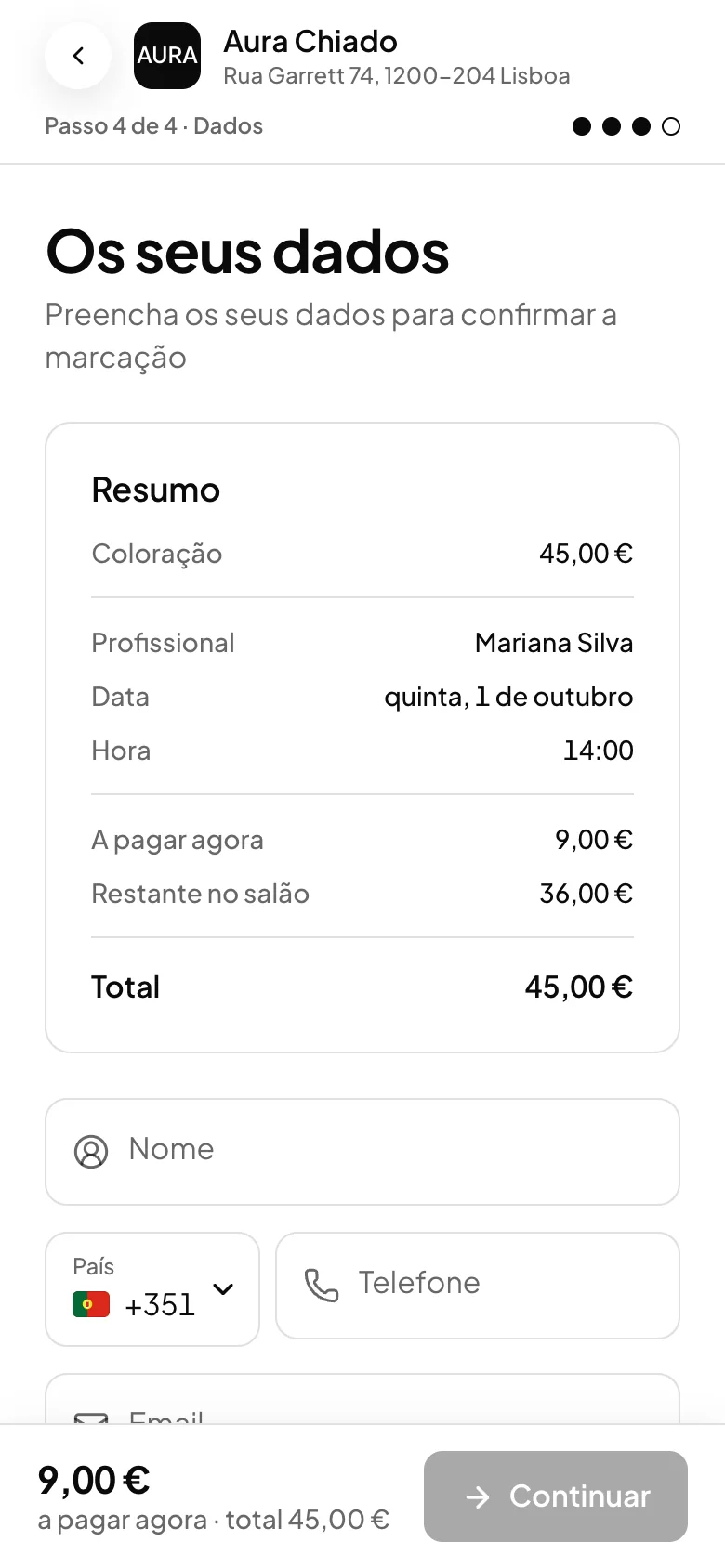
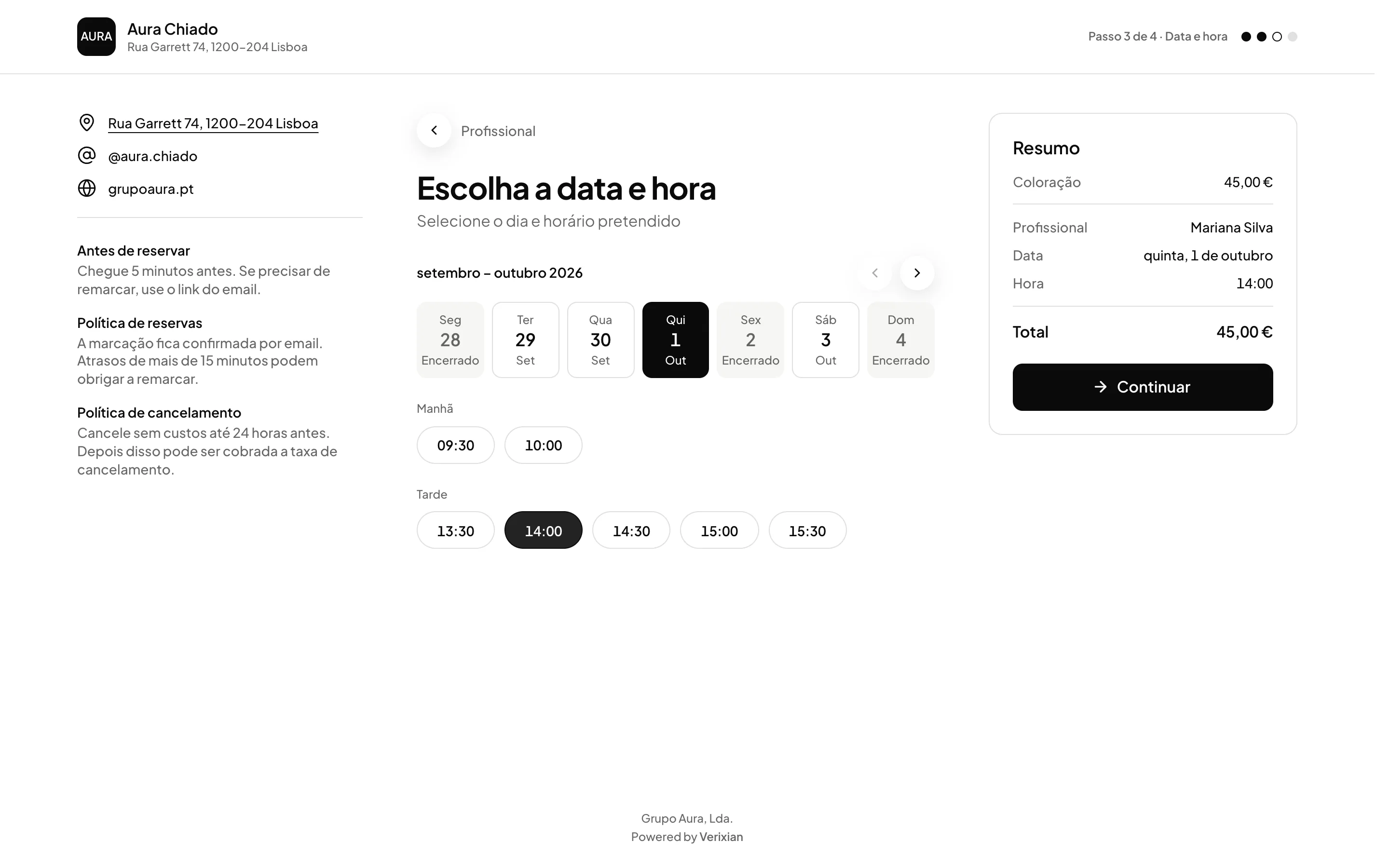
A page with your shop’s logo, services and team. The client chooses the service, the professional and a free slot, and the booking goes into the calendar.

- ORAS commission per booking
- 0%
- Desktop, iPhone and Android
- 3
- Client card in Apple and Google Wallet
- Wallet
- Every feature included
- 1 plan
Made in Portugal · Data hosted in the European Union
What it does
Only times that are really free
The page shows each professional’s real availability, with closure days closed and past times refused.
The right professional for each service
Each service only shows who does it. If the client picks several services with different professionals, ORAS splits the booking.
Reschedule and cancel without calling
The emails include a button to manage the booking. The client reschedules or cancels on their own, up to the deadline you set.
No commission per booking
ORAS takes no commission per booking. If you ask for a deposit or prepayment, the money goes to your business’s Stripe account.
For your clients
One link for booking, one app for coming back.
The booking link works for anyone, with nothing to install. The ORAS Marcações app is for people who come back: they keep your shop on their phone and book in a few taps. Both fill the same calendar.
Booking link
A link with your shop’s name. Put it on Instagram, on WhatsApp or in a QR code at the counter.
- Opens in the browser, nothing to install
- The client chooses the service, the professional and the time
- Made for the first booking
ORAS Marcações app
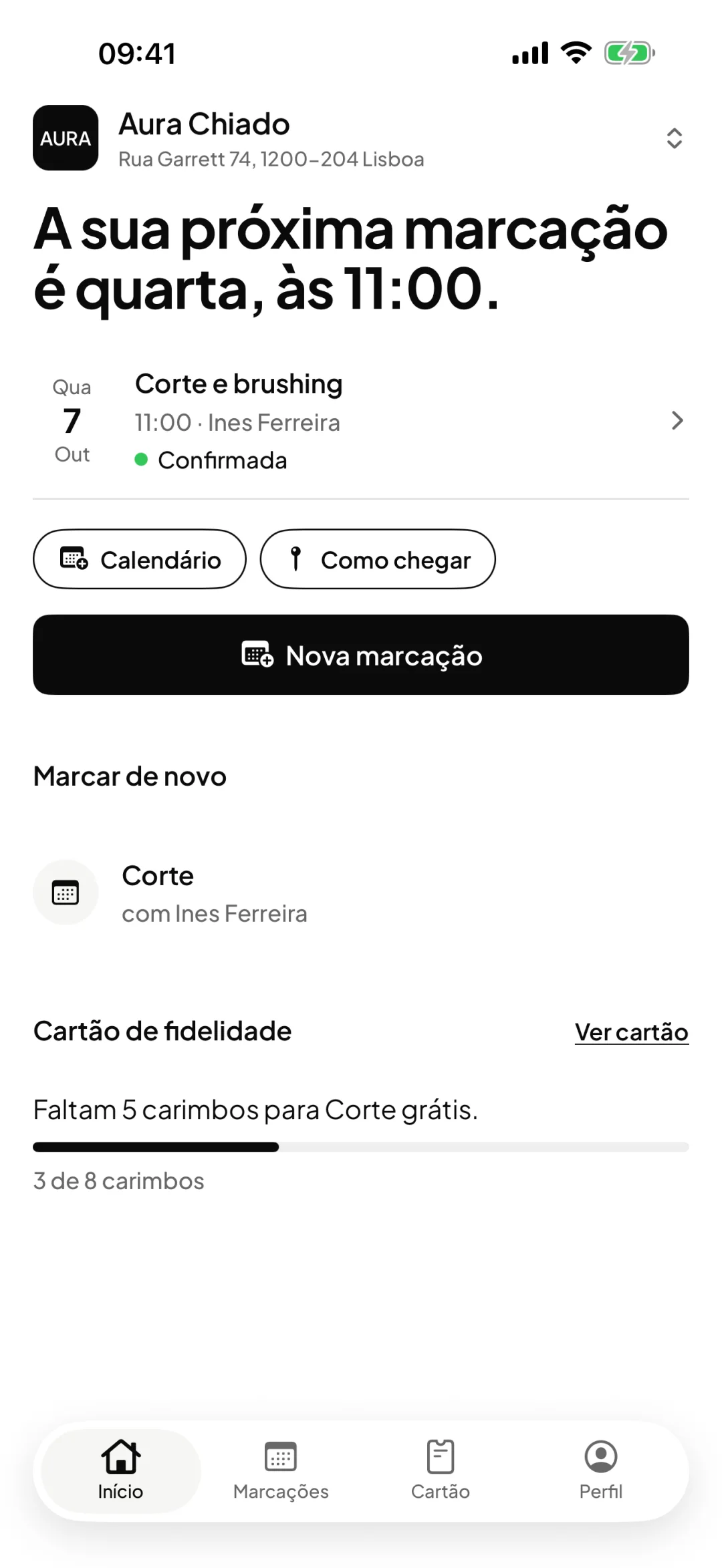
Your clients’ app. They join your shop with the same link, the QR code or the shop code.
- The next booking always in view
- Book again, change the time or cancel, within your rules
- The loyalty card, with the stamps
Download on theApp StoreGet it onGoogle PlayFor iPhone and Android. Free for your clients and included in your ORAS plan.
Both land in the same calendar
Whether it comes from the link or the app, the booking goes into your ORAS calendar with the service, the professional and the time. If you ask for a deposit, it is handled in the booking, in both cases.
How it works
Prepare the page
Services with duration and price, photos and portfolio of the team, links to your website and Instagram, and your booking and cancellation policies.
Set the rules
Choose the minimum and maximum notice, the interval between time slots, and whether bookings are confirmed straight away or arrive as a request.
Share the link
Put the link in your Instagram bio, on your website or in a message. The page works on any phone.
Receive the booking
The booking goes into the calendar and the client gets the confirmation by email. If it is a request, you accept or decline it in the Pending tab.
Frequently asked questions with straight answers.
Can I approve each booking before confirming it?
Yes. With approval turned on, the client sees ‘Request booking’ instead of ‘Confirm booking’, and the booking stays pending until you accept it in the calendar.
How late can the client cancel or reschedule?
Up to the deadline you set, for example 24 hours before. You can also turn off the client managing their own booking, or stop them changing professional when they reschedule.
Can I charge a deposit when booking?
Yes, service by service: a deposit, full payment in advance or a card on hold for a cancellation fee. The guide to payments on online bookings explains each option.
Related features
Online payments
Deposit or prepayment, in the booking itself.
Deposit, full payment or card on hold, straight to your Stripe account.
Learn more Online paymentsCalendar
The team’s whole day, in one view.
Day and week per professional, walk-ins, drag to reschedule and email reminders.
Learn more Calendar
See ORAS for your type of business
See moreSee less
or feature by feature
Want to see ORAS with your own data?
Tell us how you work and we will show you the system running. If it fits, we set it all up with you, data migration included.
- A 30-minute demo, no commitment
- Data migration included
- No minimum term, 30 days’ notice
- Support in Portuguese by email and WhatsApp