Calendar
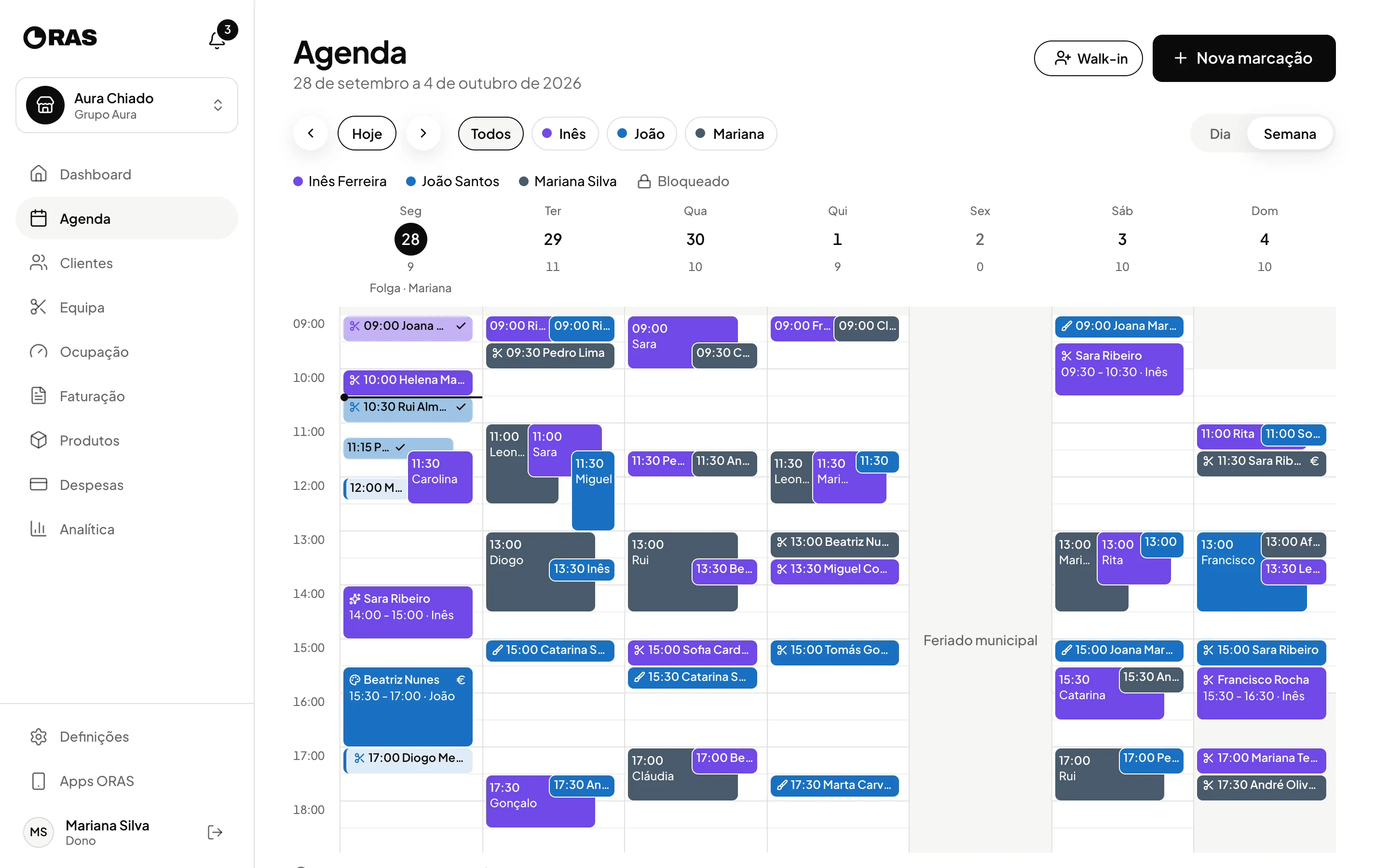
The team’s whole day, in one view.
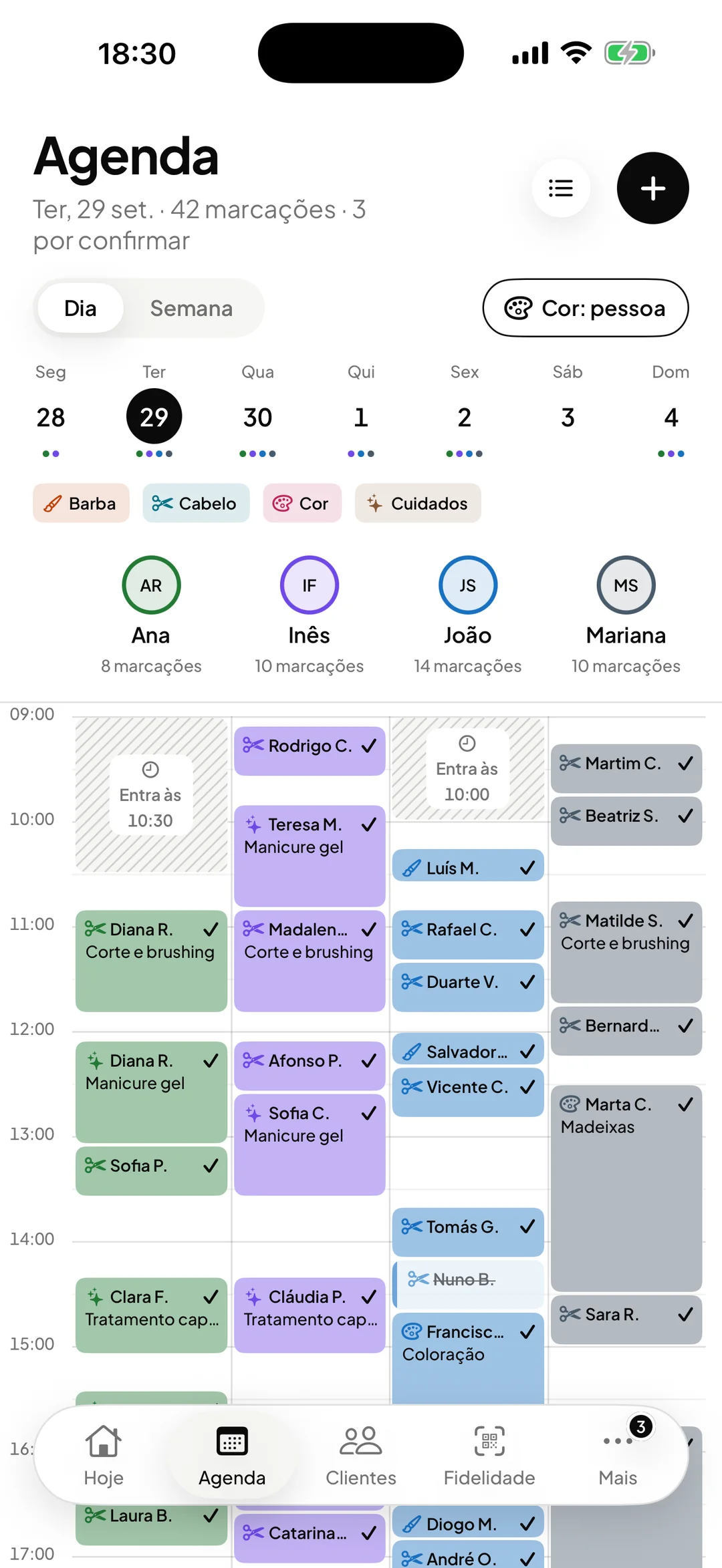
One column per professional, online bookings coming in on their own and an email reminder before every visit. On the desktop, on iPhone and on Android.
- ORAS commission per booking
- 0%
- Desktop, iPhone and Android
- 3
- Client card in Apple and Google Wallet
- Wallet
- Every feature included
- 1 plan
Made in Portugal · Data hosted in the European Union
What it does
Every professional side by side
The day view shows one column per professional. Drag a booking to another time or to another colleague and confirm the change.
Email reminders
The client gets the confirmation, notices of any change or cancellation, and a reminder before the booking time. You choose how far ahead each reminder is sent.
Walk-ins in seconds
Record anyone who walks in without a booking, with name, phone, service and professional. If the time clashes with another booking, ORAS warns you.
Schedules, days off and closures
Each professional has their own weekly schedule, with exceptions for days off and special hours. The days the shop is closed stay closed in the calendar and on the booking page.
How it works
Set the schedules
Set the shop’s hours and each professional’s. For a public holiday or a medical appointment, add an exception on that day.
Receive the bookings
Bookings made on your page go straight into the calendar. If you would rather approve each request, they wait in the Pending tab until you accept them.
Manage the day
Confirm, move, cancel or mark a no-show. The client gets an email whenever the booking is confirmed, changed or cancelled.
Complete the visit
When you complete it, you choose the payment method. The payment is recorded, loyalty is updated and the visit goes into the client’s file and Analytics.
Frequently asked questions with straight answers.
Can I block out lunch or a break?
Yes. In each professional’s week, drag across the hours you want to block. For a whole day or different hours, use exceptions. Those periods stop showing as available on the booking page.
How is the client notified?
By email: a confirmation when they book, a notice when the booking is changed or cancelled, and a reminder before the booking time. You can edit the text of each email and the sender’s name.
Can I see the calendar on my phone?
Yes. ORAS has an app for iPhone and for Android, as well as the desktop version. The team sees the same calendar on all of them.
Related features
Online bookings
Clients book themselves, at any hour.
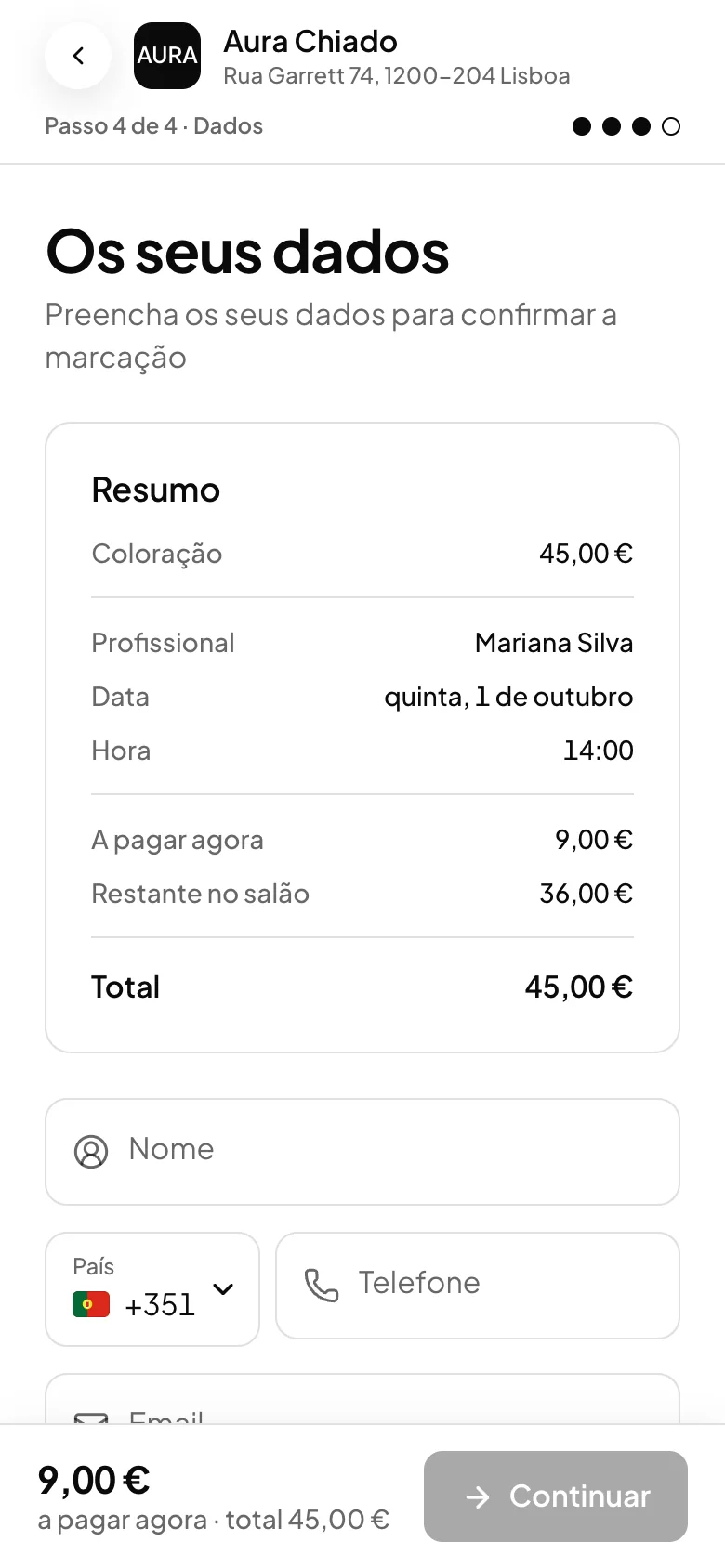
A booking page open around the clock, with real availability and optional approval.
Learn more Online bookings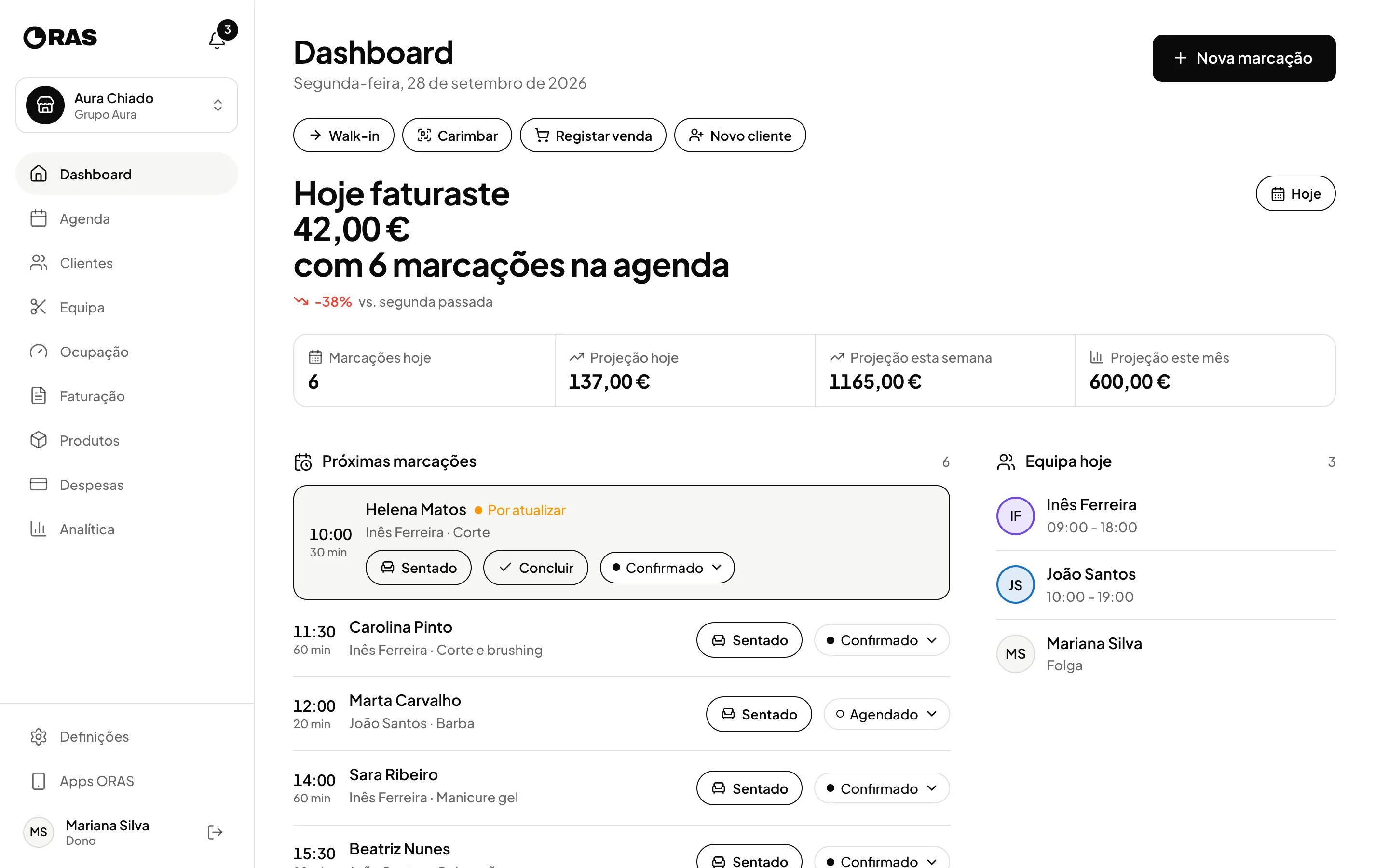
Team and locations
The team and the locations, in one account.
Roles, schedules, commission per professional and several locations in one account.
Learn more Team and locations
See ORAS for your type of business
See moreSee less
or feature by feature
Want to see ORAS with your own data?
Tell us how you work and we will show you the system running. If it fits, we set it all up with you, data migration included.
- A 30-minute demo, no commitment
- Data migration included
- No minimum term, 30 days’ notice
- Support in Portuguese by email and WhatsApp