Analytics
The business’s numbers, without spreadsheets.
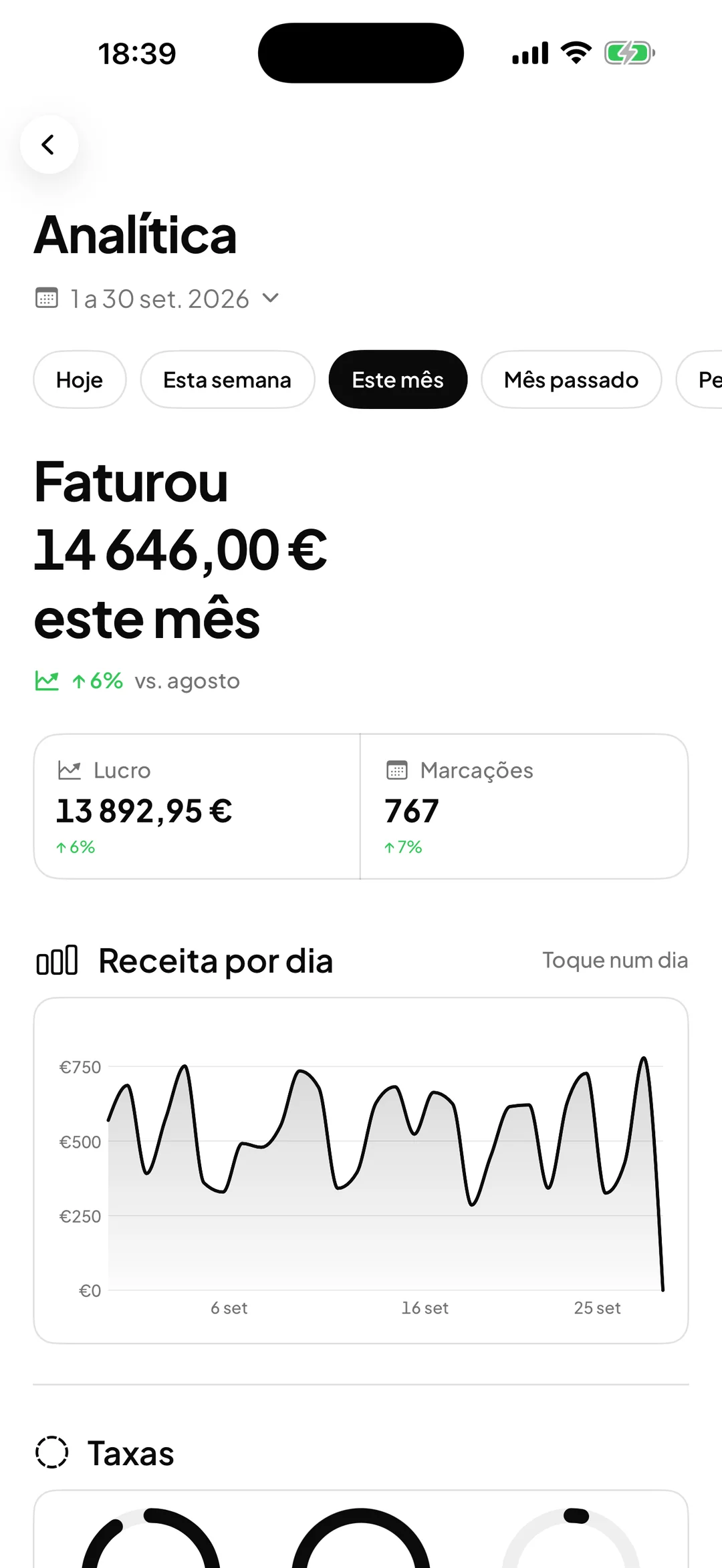
Revenue, most-requested services, each professional’s performance, calendar occupancy and profit after expenses. All worked out from what happens in the calendar and at the counter.

- ORAS commission per booking
- 0%
- Desktop, iPhone and Android
- 3
- Client card in Apple and Google Wallet
- Wallet
- Every feature included
- 1 plan
Made in Portugal · Data hosted in the European Union
What it does
The essentials of the period
Total revenue, bookings, average ticket, completion rate, no-shows and new clients, for the period you choose.
Where the revenue comes from
Revenue per professional, most-requested services, payment methods, best clients and product sales.
Calendar occupancy
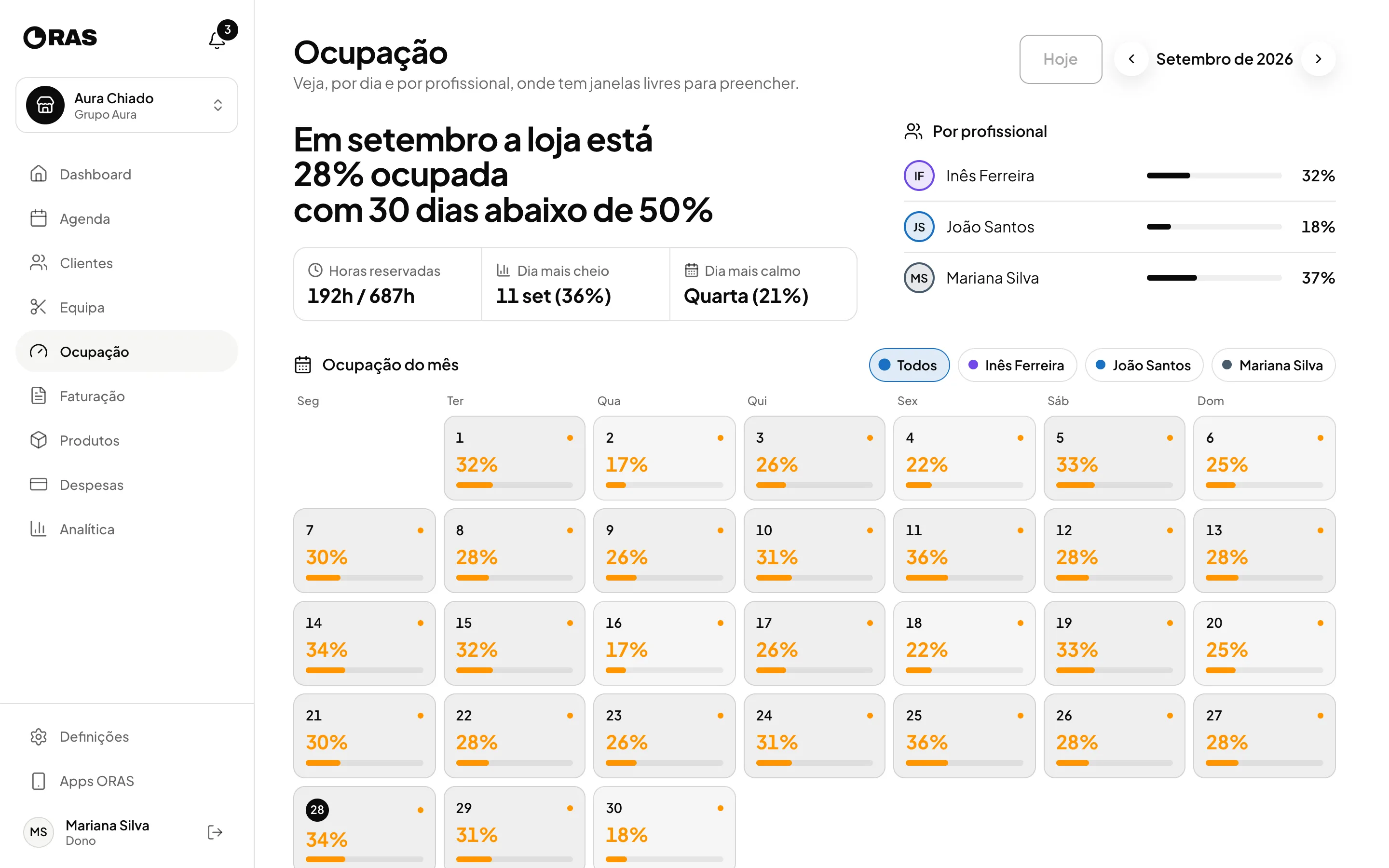
The month view shows the percentage occupied for each day and each professional, the busiest day and the quietest day of the week.
Profit, not just revenue
With expenses recorded, you see the revenue, expenses and profit for the period on the same screen.
How it works
Choose the period
Today, yesterday, this week, last week, this month, last month or two dates of your choice.
See the occupancy
In Occupancy, go through the months and see on which days and with which professionals there are free hours.
Look ahead
The home dashboard shows how much is already booked for today, this week and this month, before the visits happen.
Get the report by email
Enter an email address and the frequency, weekly or monthly, and the summary arrives on its own. You can preview it or send it straight away.
Frequently asked questions with straight answers.
Do walk-ins and counter sales count too?
Yes. Everything completed in ORAS counts: online bookings, bookings made by the team, walk-ins and product sales.
Does Analytics show loyalty?
Yes. You see the active cards, the stamps given in the period and the rewards redeemed, as well as new clients and those who came back.
Who has access to Analytics?
The owner and the manager. Professionals and the front desk do not see the business’s numbers.
Related features
Expenses
Know how much is left at the end of the month.
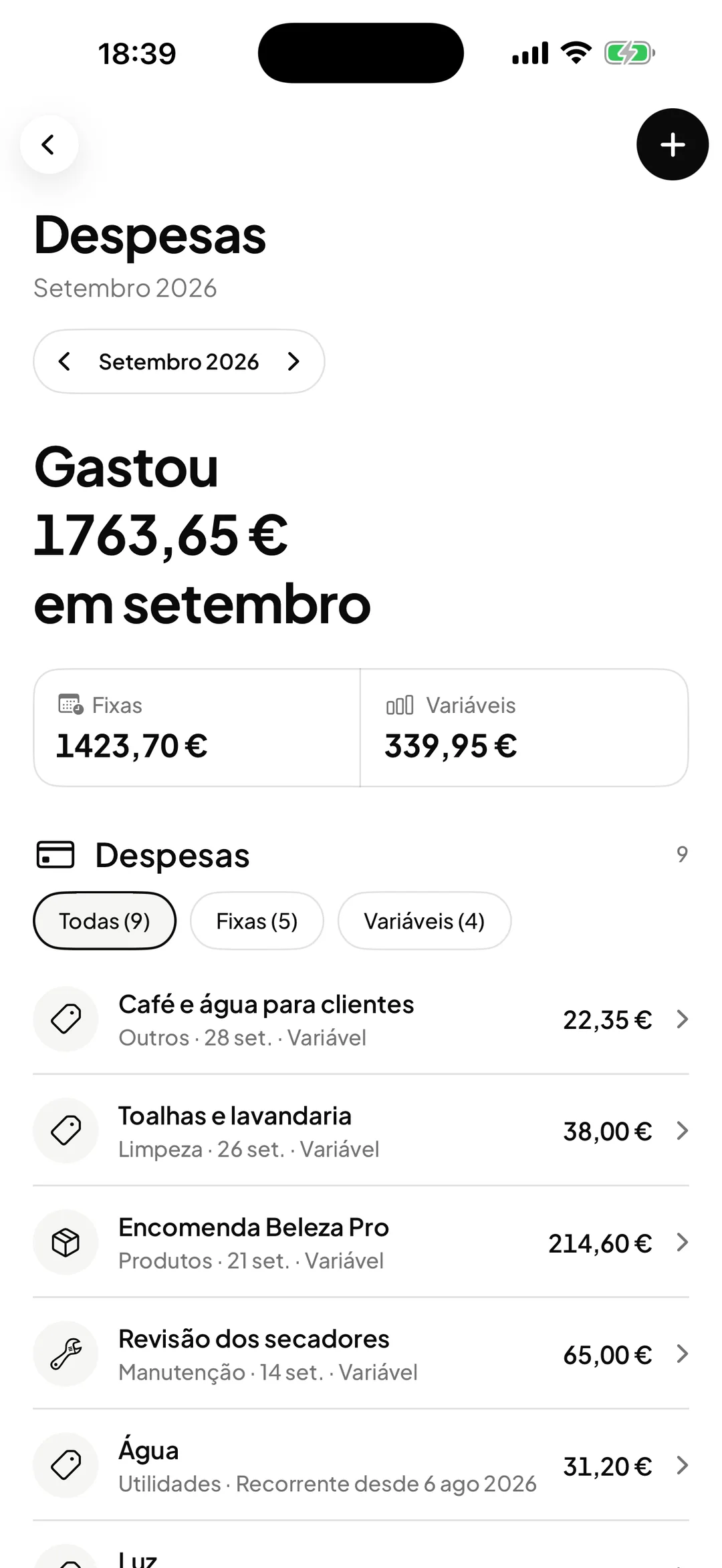
Fixed and variable, by category, with profit worked out.
Learn more Expenses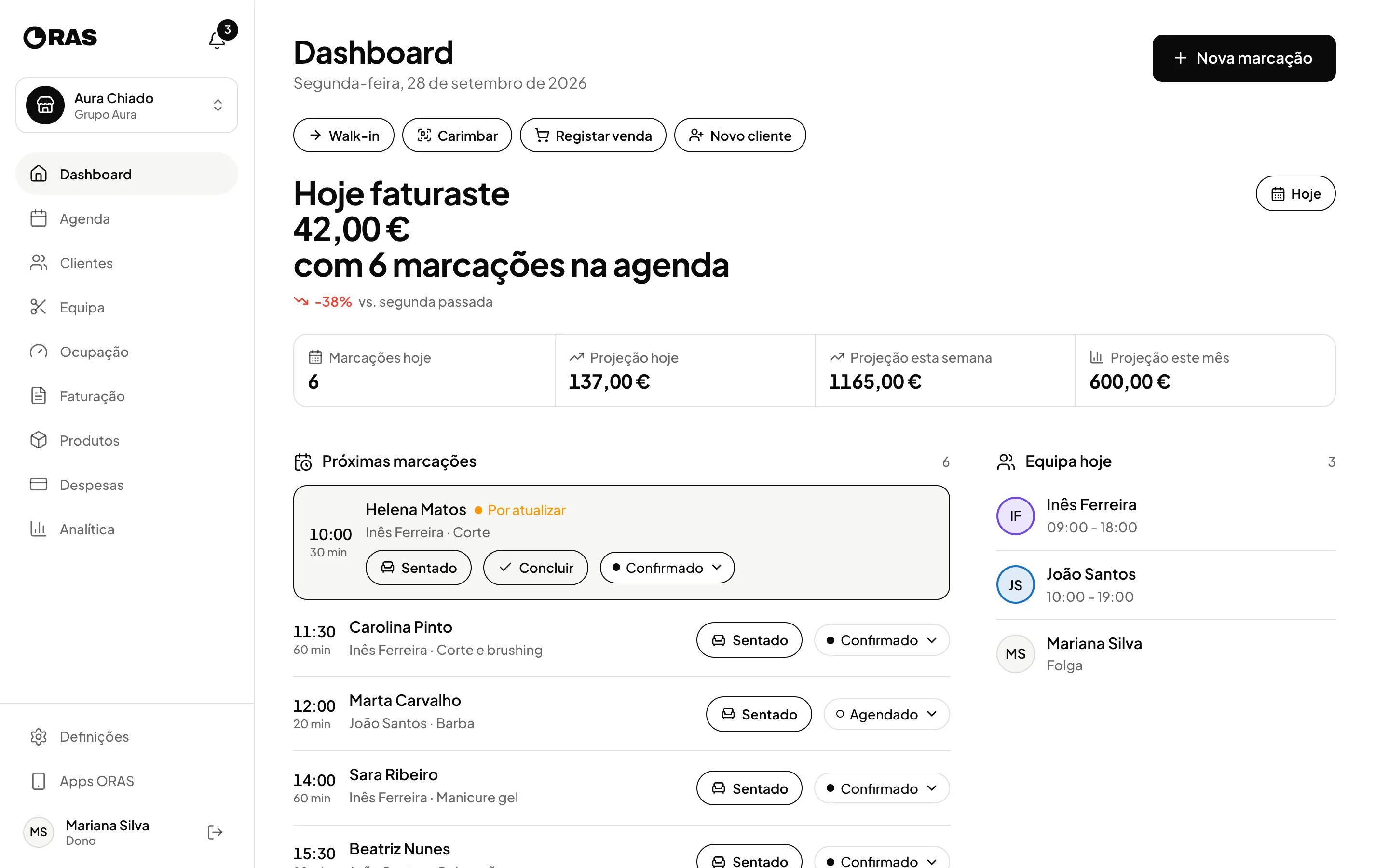
Team and locations
The team and the locations, in one account.
Roles, schedules, commission per professional and several locations in one account.
Learn more Team and locations
See ORAS for your type of business
See moreSee less
or feature by feature
Want to see ORAS with your own data?
Tell us how you work and we will show you the system running. If it fits, we set it all up with you, data migration included.
- A 30-minute demo, no commitment
- Data migration included
- No minimum term, 30 days’ notice
- Support in Portuguese by email and WhatsApp