Team and several locations
The team and the locations, in one account.
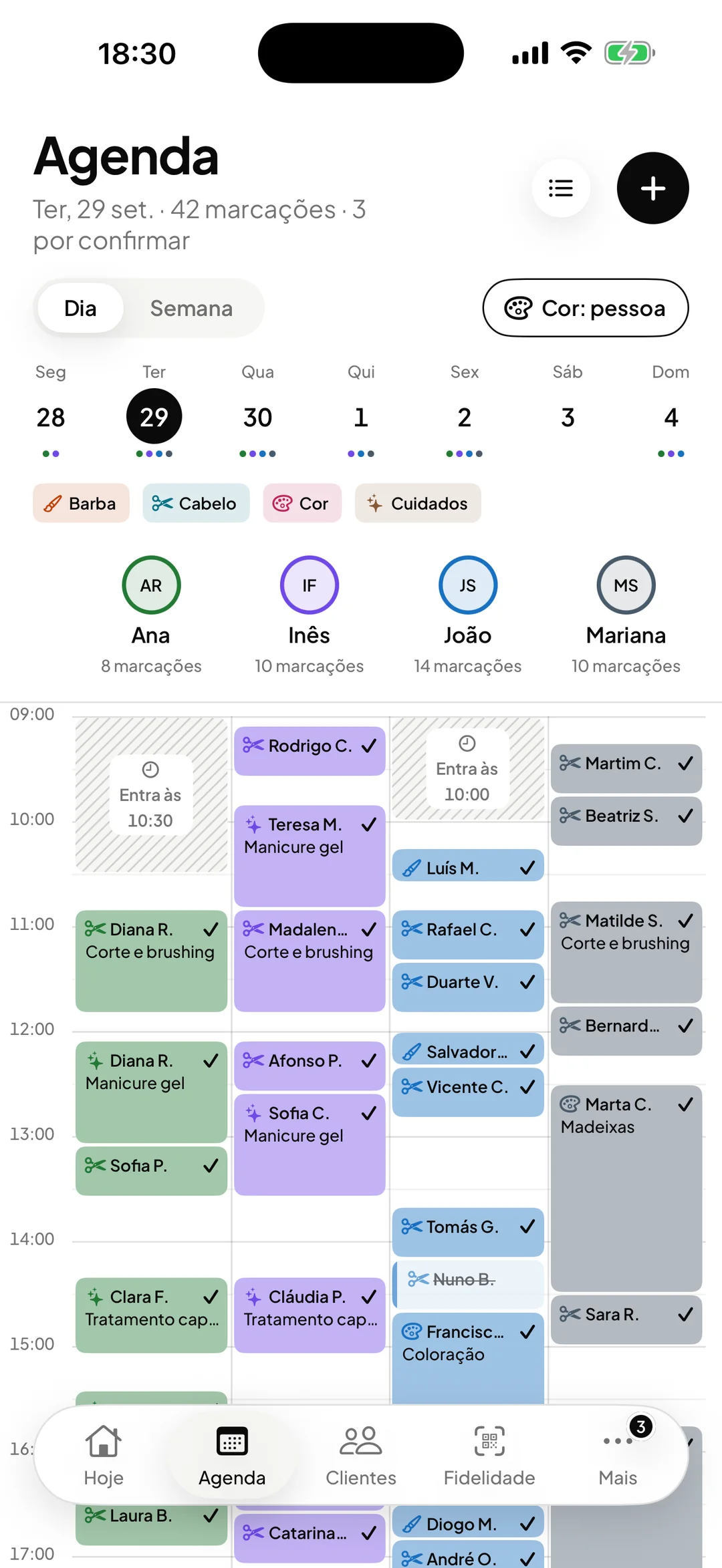
Schedules, services, commissions and access for each person. With more than one location, you switch from one to the other at the top of the screen, and clients are shared.

- ORAS commission per booking
- 0%
- Desktop, iPhone and Android
- 3
- Client card in Apple and Google Wallet
- Wallet
- Every feature included
- 1 plan
Made in Portugal · Data hosted in the European Union
What it does
One login per person
Owner, manager, professional and front desk each sign in with their own login. The front desk manages the calendar, clients and stamps, without seeing amounts or settings.
Commission per professional
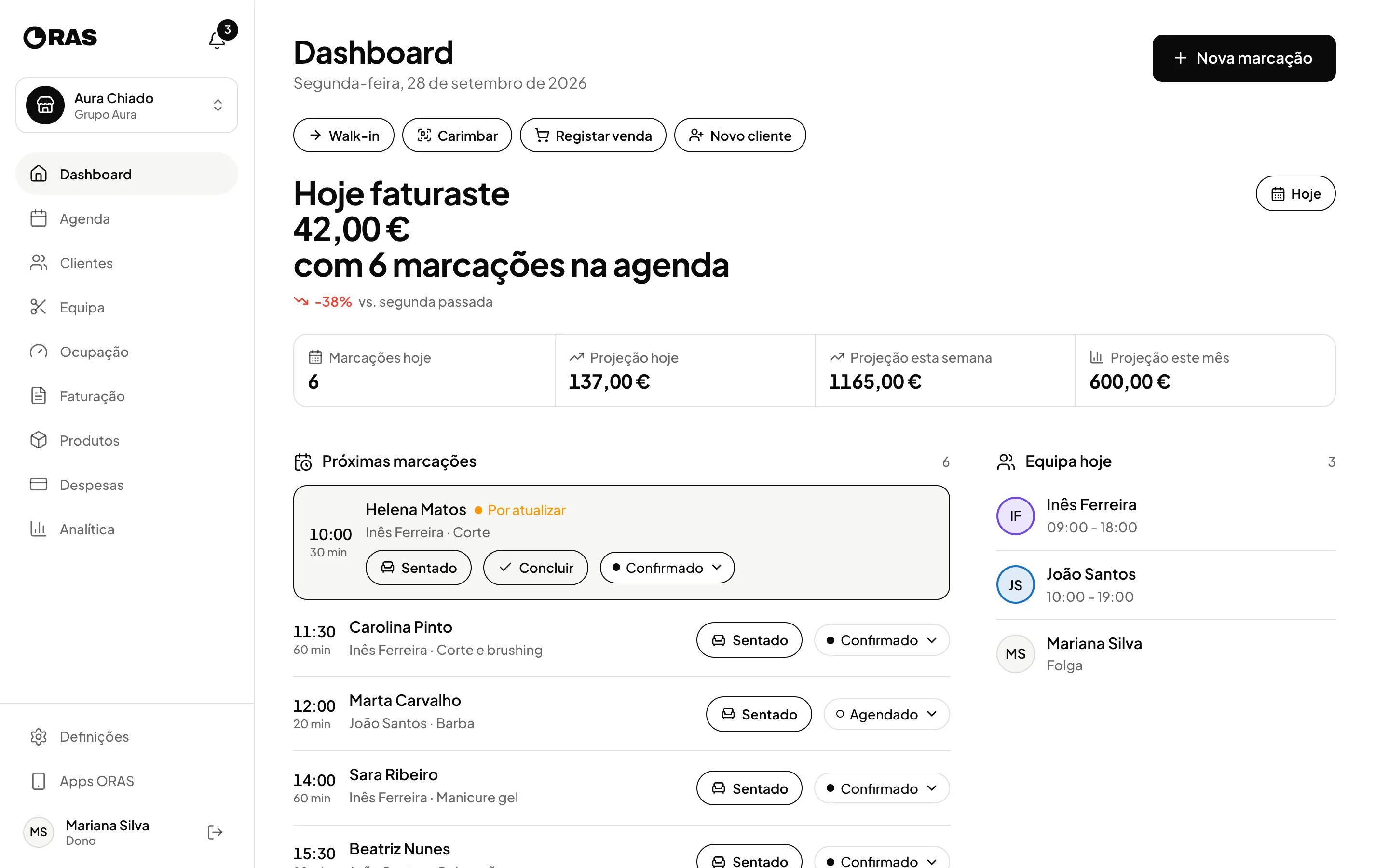
Set each professional’s commission percentage. On each person’s page you see the month’s commissions, booking by booking, pending or paid.
Everyone’s schedules and services
Each professional has their own schedule, their own exceptions and the services they do. On the booking page, each service only shows who does it.
Several locations, one account
Switch location at the top of the screen, on the desktop, on iPhone or on Android. Each location has its own calendar and team, and clients are shared.
How it works
Add the team
Create each member with a name, email, role and colour, and send them the invite link. From then on, they sign in with their own login.
Set schedules and services
Set each professional’s weekly schedule, days off and services. The photo and portfolio appear on the booking page.
Set up commissions
Enter each professional’s percentage. ORAS works out the commission on every completed booking.
Track performance
On each professional’s page you see the revenue, the commission and the projection for today, this week and this month.
Frequently asked questions with straight answers.
Can professionals see the business’s revenue?
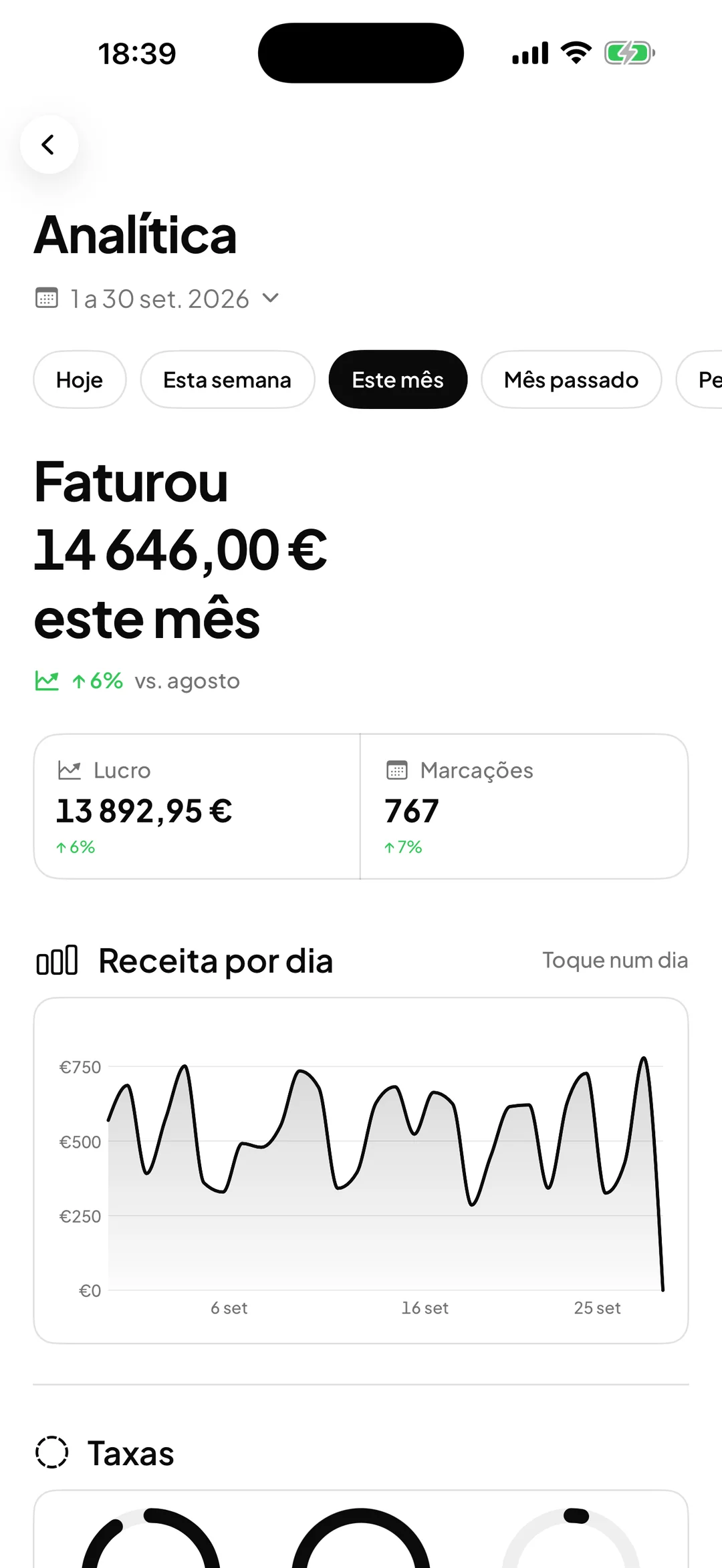
No. Analytics, payments, expenses and settings are reserved for the owner and manager.
What happens when someone leaves the team?
You remove the member and the history stays: that person’s bookings, payments and commissions remain in the records.
Can I run two locations with the same account?
Yes. One account serves several locations, each with its own calendar, team and schedules. Each additional location has its own monthly price, shown on the pricing page.
Related features
Calendar
The team’s whole day, in one view.
Day and week per professional, walk-ins, drag to reschedule and email reminders.
Learn more CalendarAnalytics and occupancy
The business’s numbers, without spreadsheets.
Revenue, profit, services, team and how full every day of the month was.
Learn more Analytics and occupancy
See ORAS for your type of business
See moreSee less
or feature by feature
Want to see ORAS with your own data?
Tell us how you work and we will show you the system running. If it fits, we set it all up with you, data migration included.
- A 30-minute demo, no commitment
- Data migration included
- No minimum term, 30 days’ notice
- Support in Portuguese by email and WhatsApp