Expenses
Know how much is left at the end of the month.
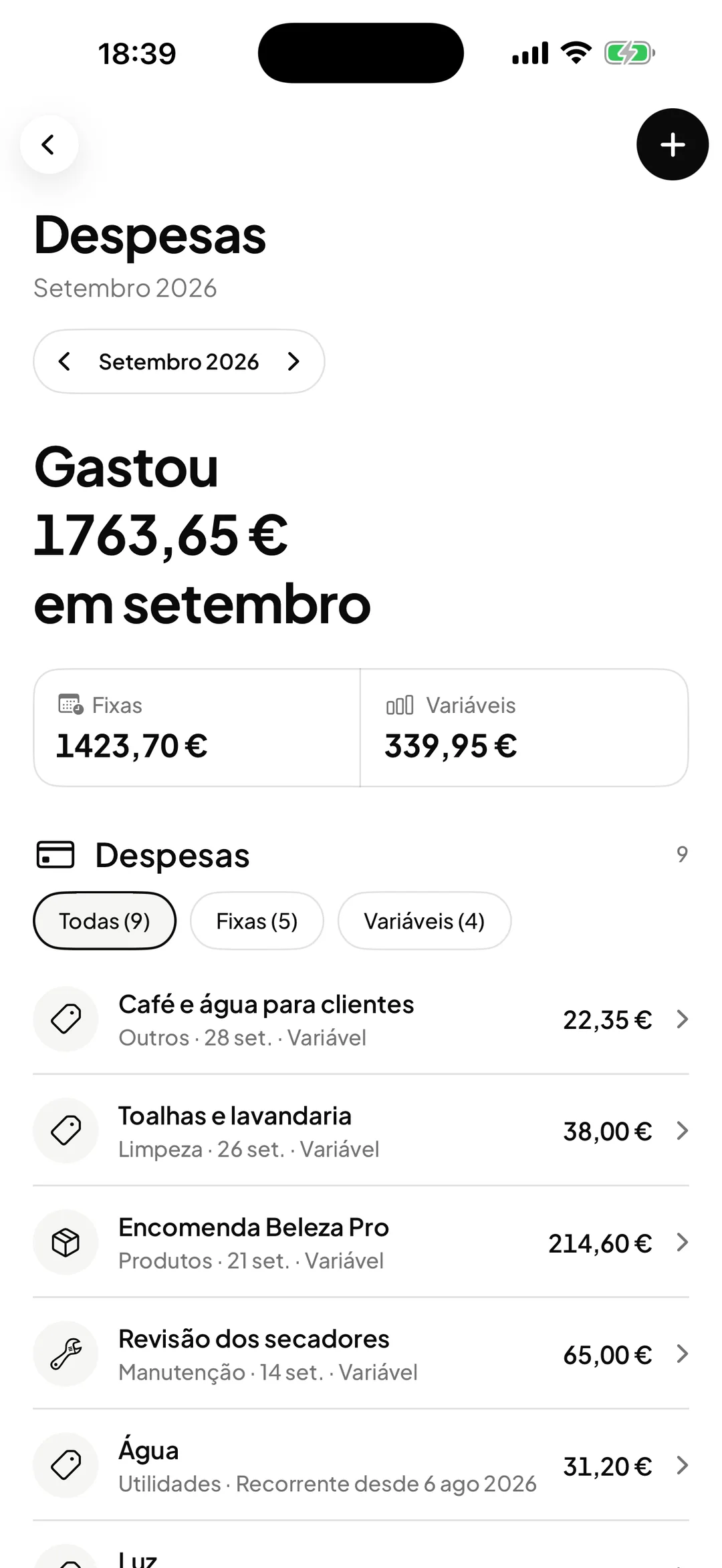
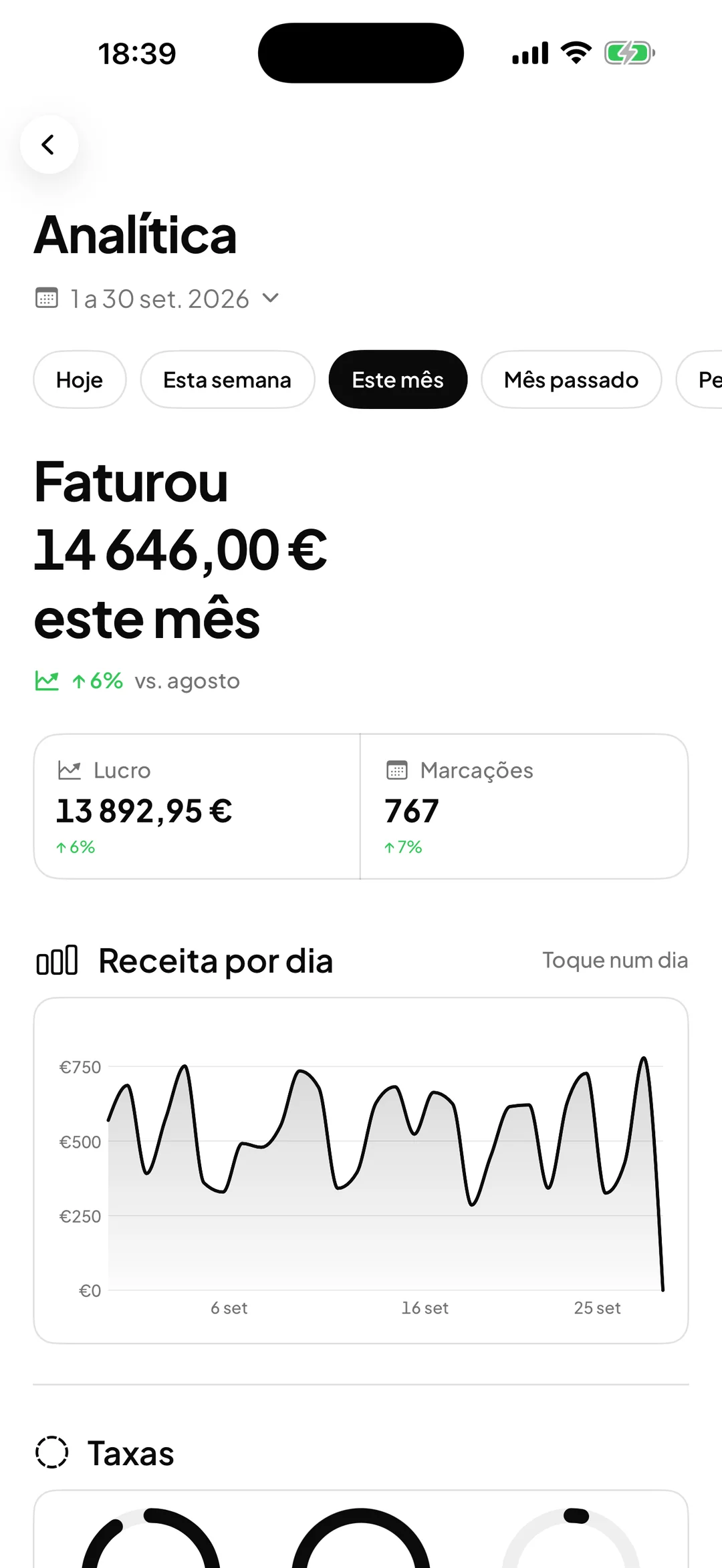
Record the rent, electricity, salaries, products and the rest. ORAS brings the expenses together with the revenue and shows the profit in Analytics.

- ORAS commission per booking
- 0%
- Desktop, iPhone and Android
- 3
- Client card in Apple and Google Wallet
- Wallet
- Every feature included
- 1 plan
Made in Portugal · Data hosted in the European Union
What it does
Recorded in seconds
Name, amount, date, category and type, with notes if you need them.
Fixed and variable
Keep fixed and variable expenses apart and see the total of each type for the month.
Stock purchases already included
When you create a product with stock or restock one, the purchase goes in as an expense under Products: quantity times unit cost.
Profit in Analytics
Revenue, expenses and profit for the period on the same screen, without cross-referencing spreadsheets.
How it works
Enter the fixed expenses
Rent, water, electricity, internet and salaries: record them when you pay them.
Enter the variable ones
Marketing, maintenance and the rest, as they happen.
Leave the stock to ORAS
Product restocks already go in as an expense. You do not need to enter them twice.
See the profit
In Analytics, choose the period and see how much was left after expenses.
Frequently asked questions with straight answers.
What categories are there?
Rent, water, electricity, internet, products, salaries, marketing, maintenance and other. There are no subcategories; use the name and the notes for detail.
Can I attach the invoice for an expense?
Not yet. Each expense stores the name, amount, date, category, type and notes.
Who sees the expenses?
Only the owner and the manager.
Related features
Analytics and occupancy
The business’s numbers, without spreadsheets.
Revenue, profit, services, team and how full every day of the month was.
Learn more Analytics and occupancy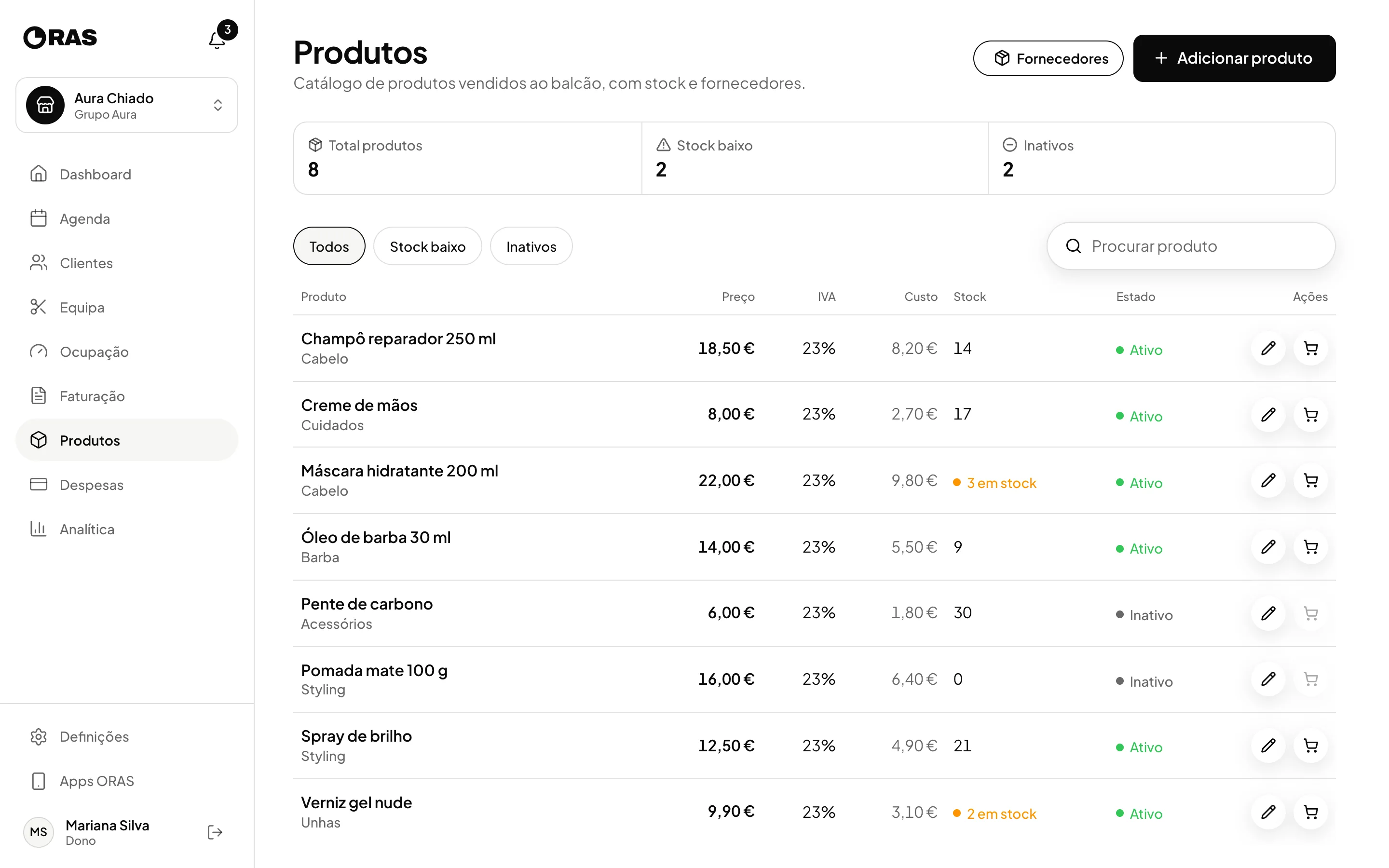
Products and stock
Sell products at the counter with the right stock.
Stock, restocks, suppliers and counter sales linked to the client.
Learn more Products and stock
See ORAS for your type of business
See moreSee less
or feature by feature
Want to see ORAS with your own data?
Tell us how you work and we will show you the system running. If it fits, we set it all up with you, data migration included.
- A 30-minute demo, no commitment
- Data migration included
- No minimum term, 30 days’ notice
- Support in Portuguese by email and WhatsApp