Calendar
The team’s whole day, in one view.
Day and week per professional, walk-ins, drag to reschedule and email reminders.
See the calendarSoftware for beauty businesses
Calendar, online bookings with deposits, clients, cashback loyalty, stock and team, for one location or a whole group. On the desktop, on iPhone and on Android, with no commission per booking.
30-minute demo · Data migration included
Made in Portugal · Data hosted in the European Union
Everything included
There are no paid add-ons. Everything you see here is in your account from day one.
Calendar
Day and week per professional, walk-ins, drag to reschedule and email reminders.
See the calendar
Online bookings
A booking page open around the clock, with real availability and optional approval.
See online bookingsClients
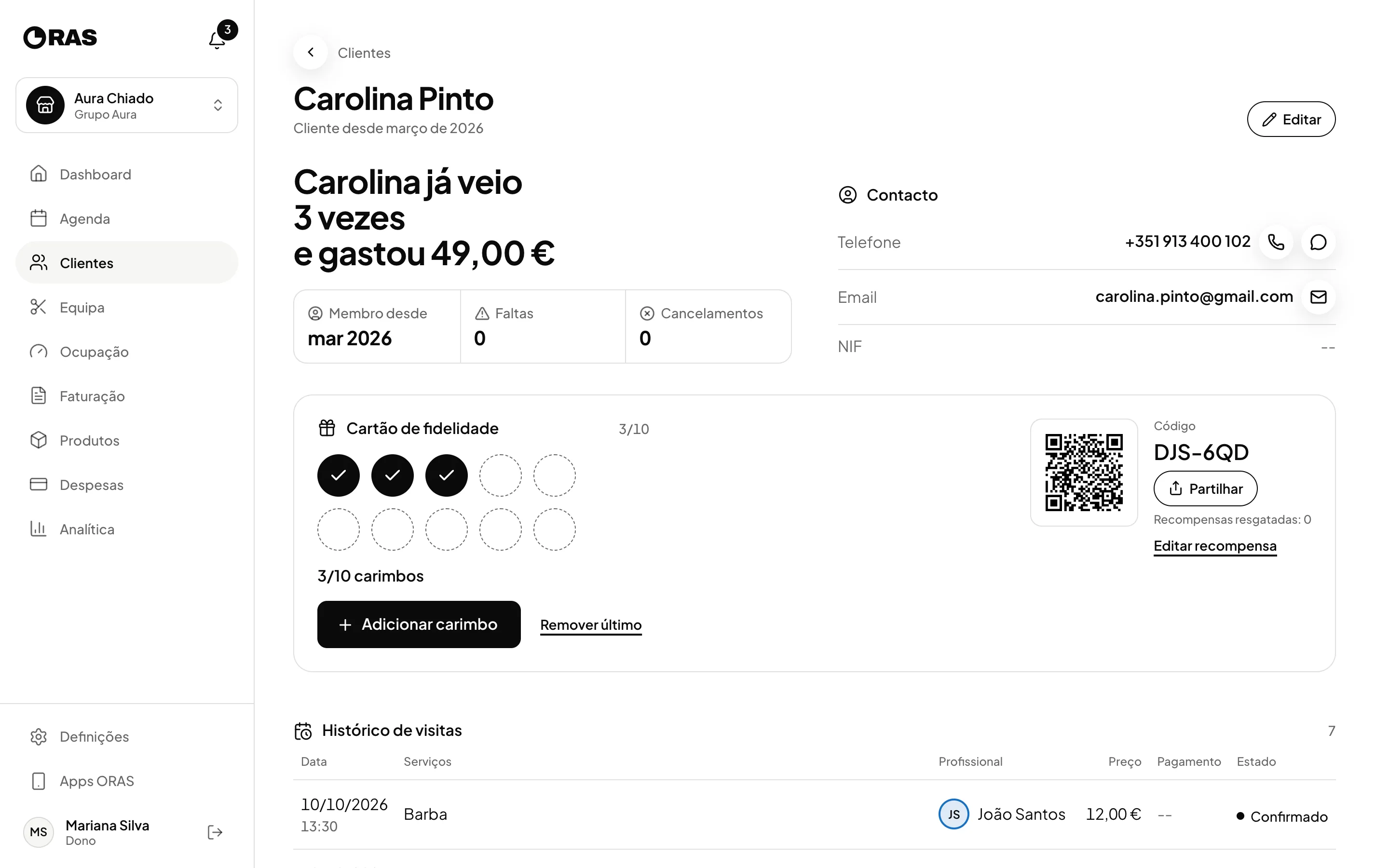
A file with visits, purchases, total spent, no-shows and notes, shared across locations.
See the clientsOnline bookings
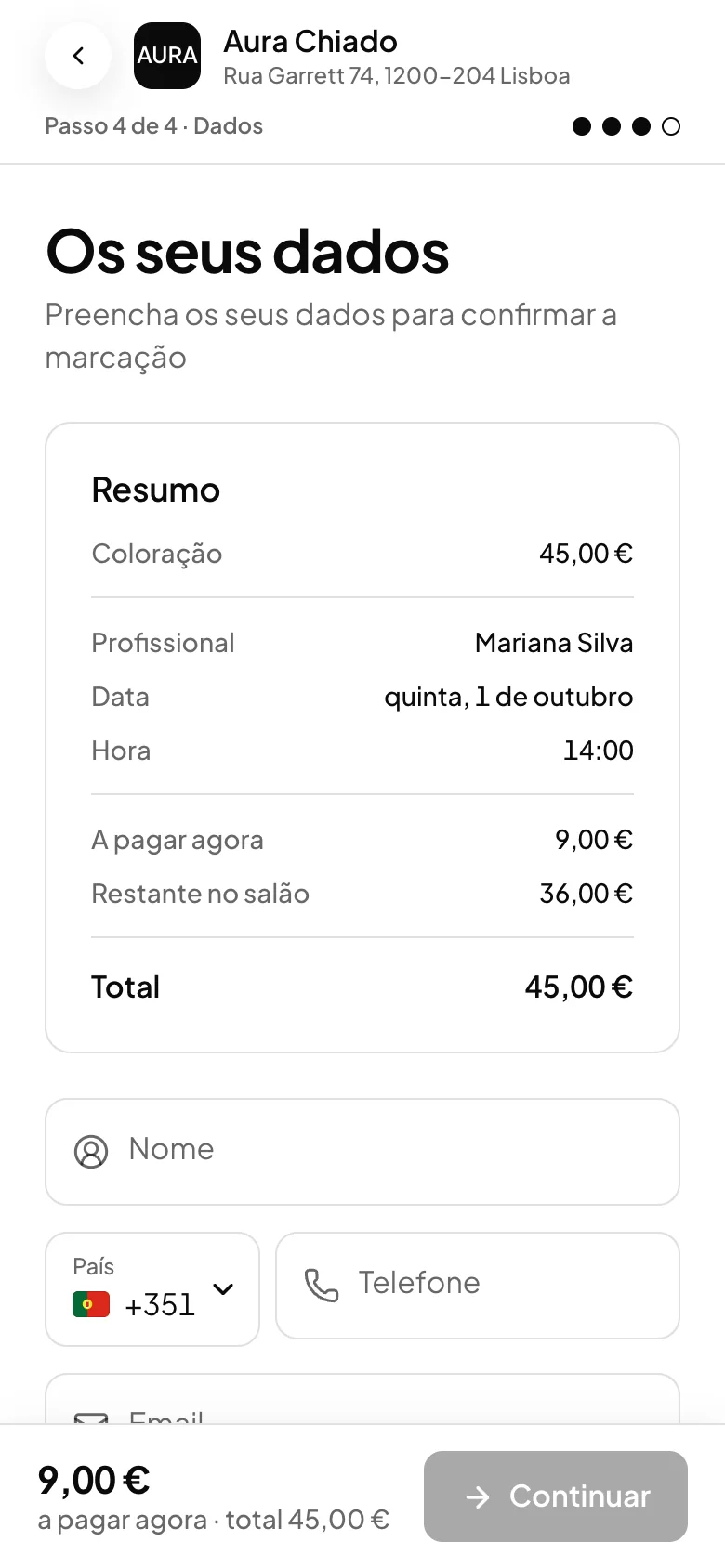
A booking page with your shop’s name, your services and your team’s real availability. If you want, the client pays when booking, and the money goes to your own Stripe account.
A pagar agora: 9,00 €. Restante no salão: 36,00 €.
ORAS takes no commission on bookings. Online payments carry only Stripe’s own fees.
See online paymentsFor your clients
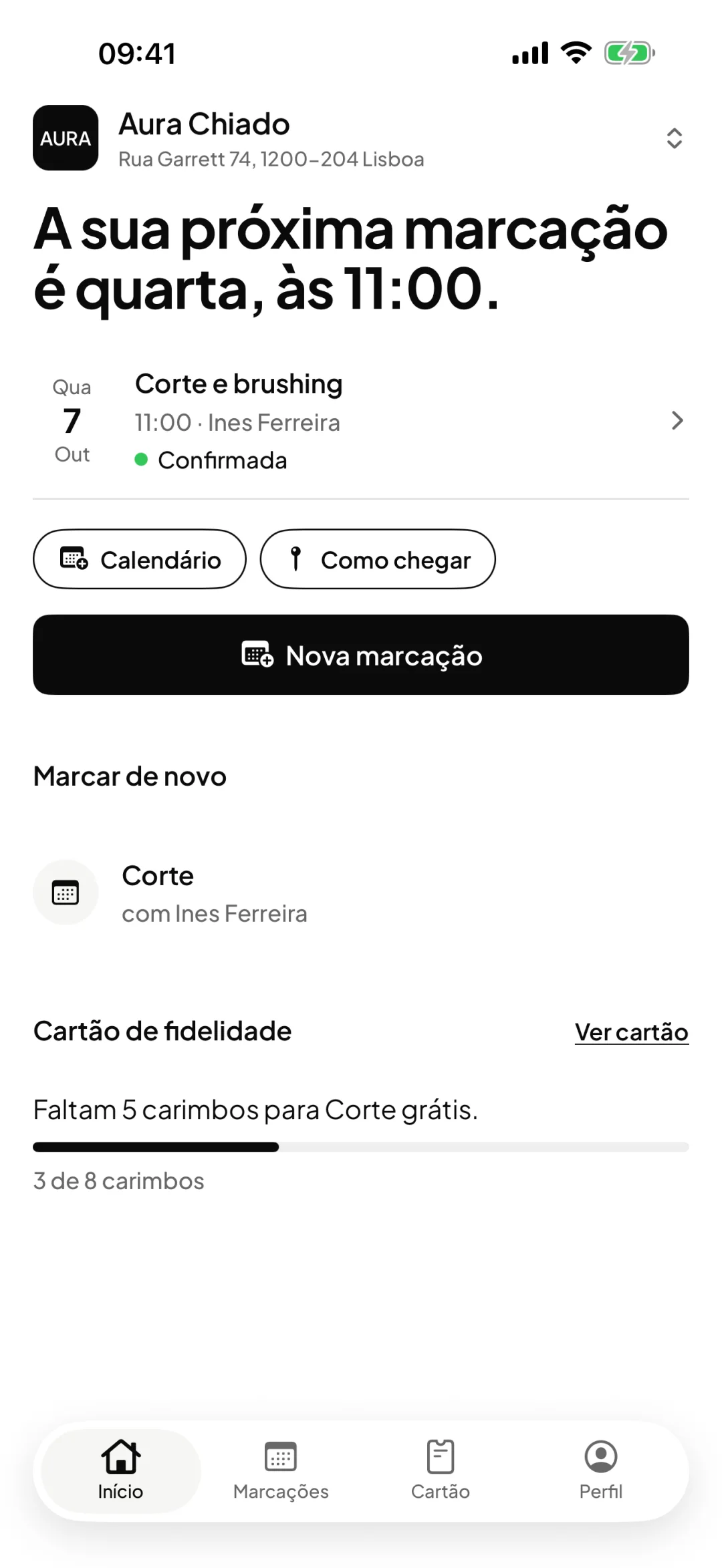
The booking link works for anyone, with nothing to install. The ORAS Marcações app is for people who come back: they keep your shop on their phone and book in a few taps. Both fill the same calendar.
A link with your shop’s name. Put it on Instagram, on WhatsApp or in a QR code at the counter.
Your clients’ app. They join your shop with the same link, the QR code or the shop code.
For iPhone and Android. Free for your clients and included in your ORAS plan.
Whether it comes from the link or the app, the booking goes into your ORAS calendar with the service, the professional and the time. If you ask for a deposit, it is handled in the booking, in both cases.
Analytics and occupancy
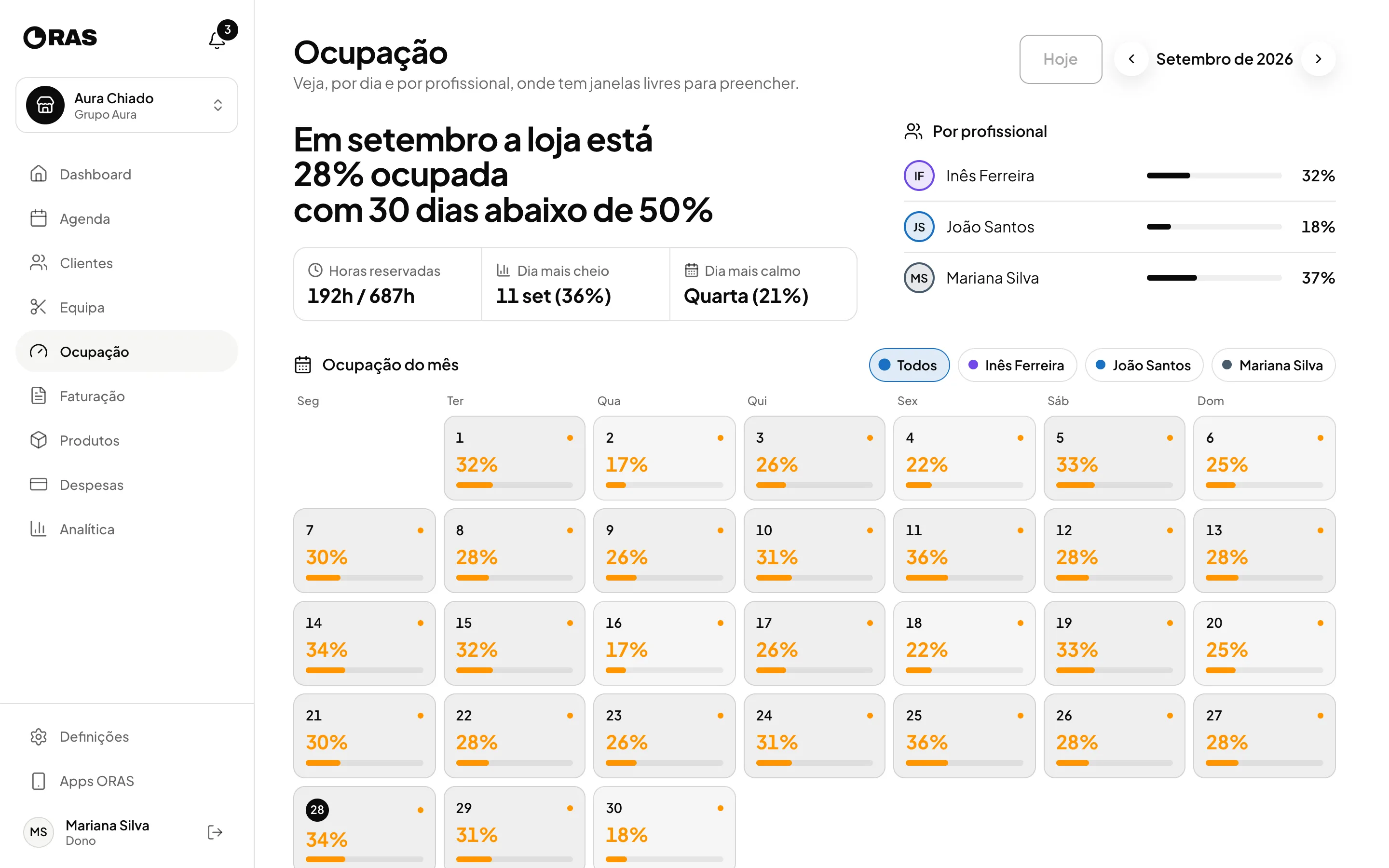
Revenue, profit, services, team and how full every day of the month was.
See analytics
Products and stock
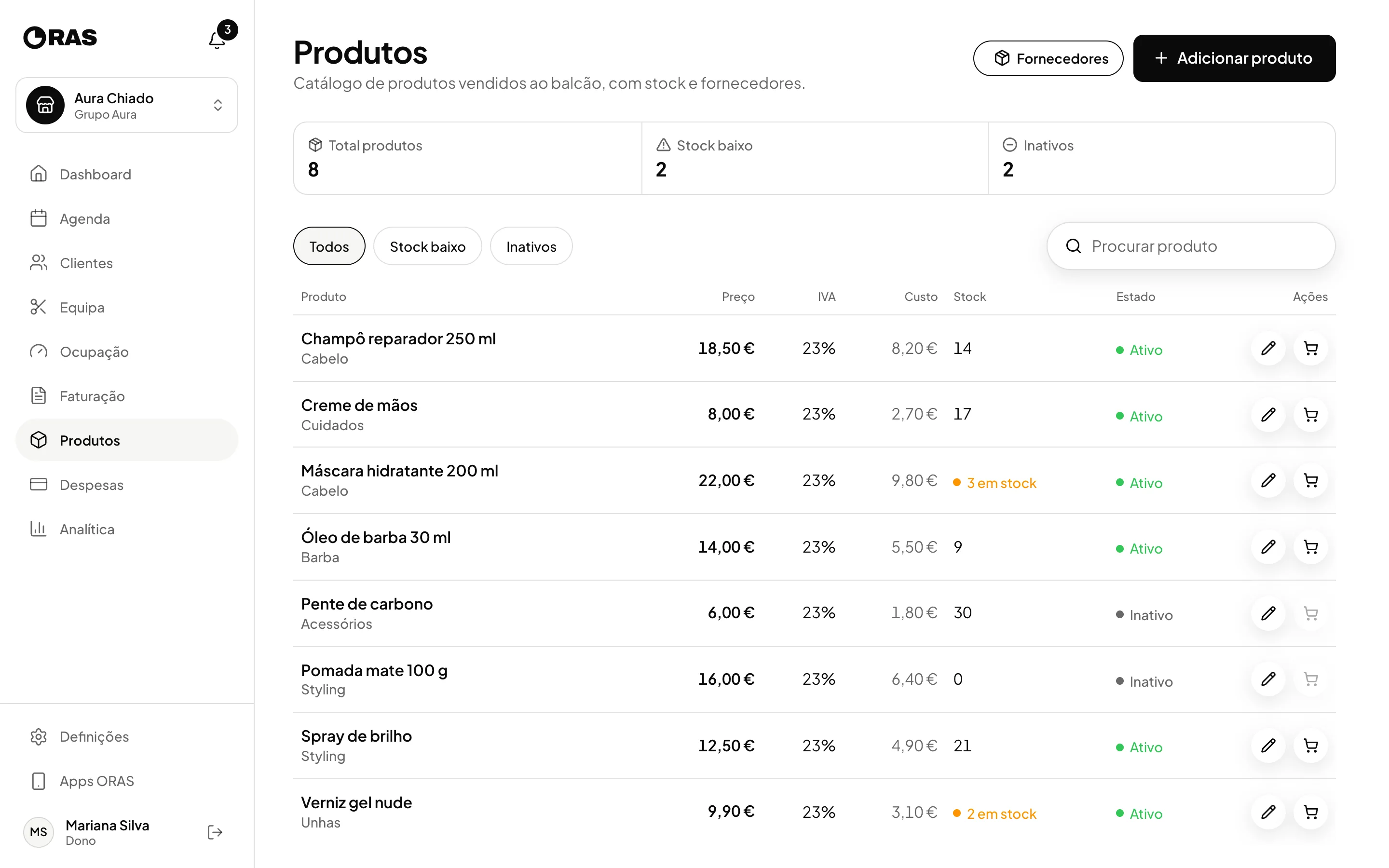
Stock, restocks, suppliers and counter sales linked to the client.
See products and stockIn the app
iPhone and Android apps, plus the desktop dashboard.
See the appIn the app
Real captures of the ORAS iPhone app, with demo data. The Android app has the same main screens.
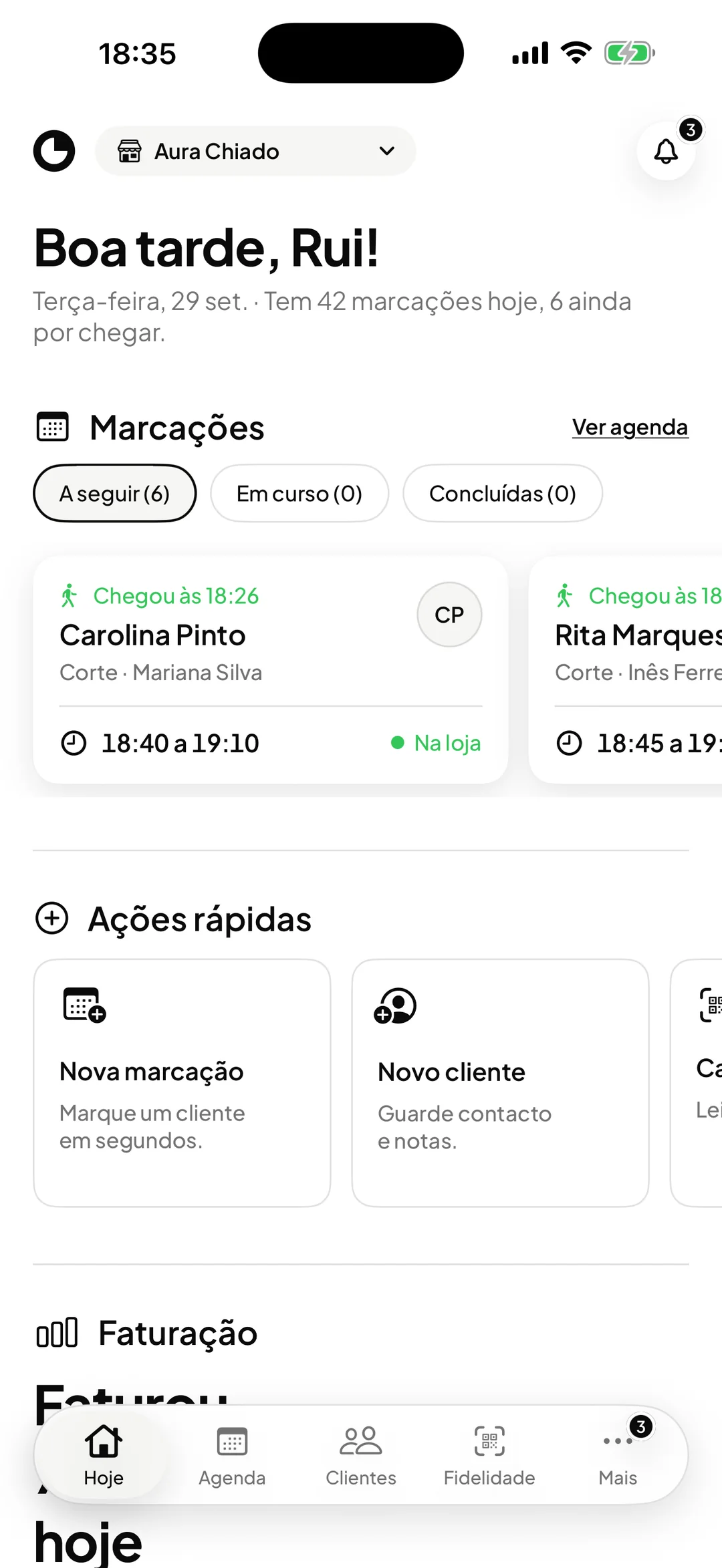
Today
How many bookings today, who has arrived and what comes next, as soon as you open it. With several locations, tap the location name at the top and switch, without signing out.
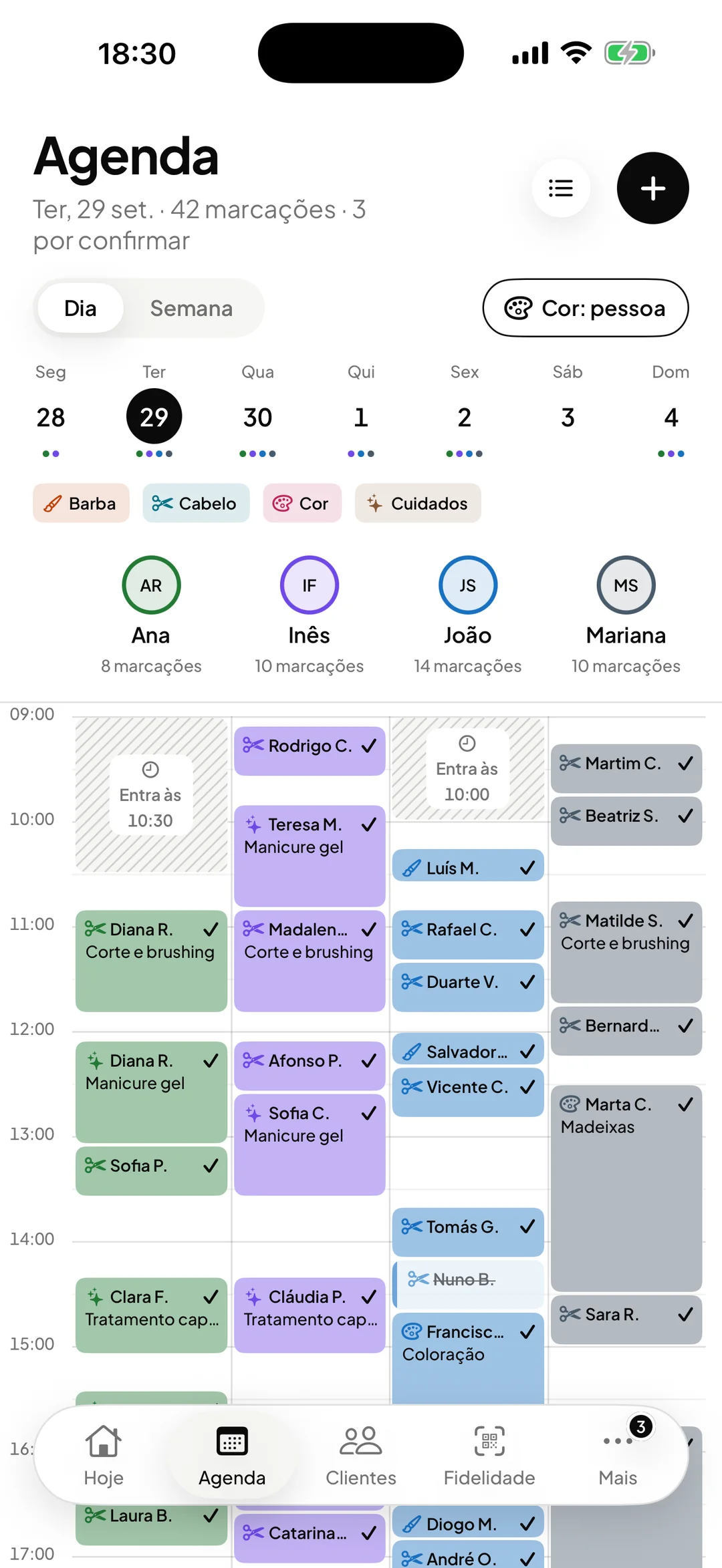
Calendar
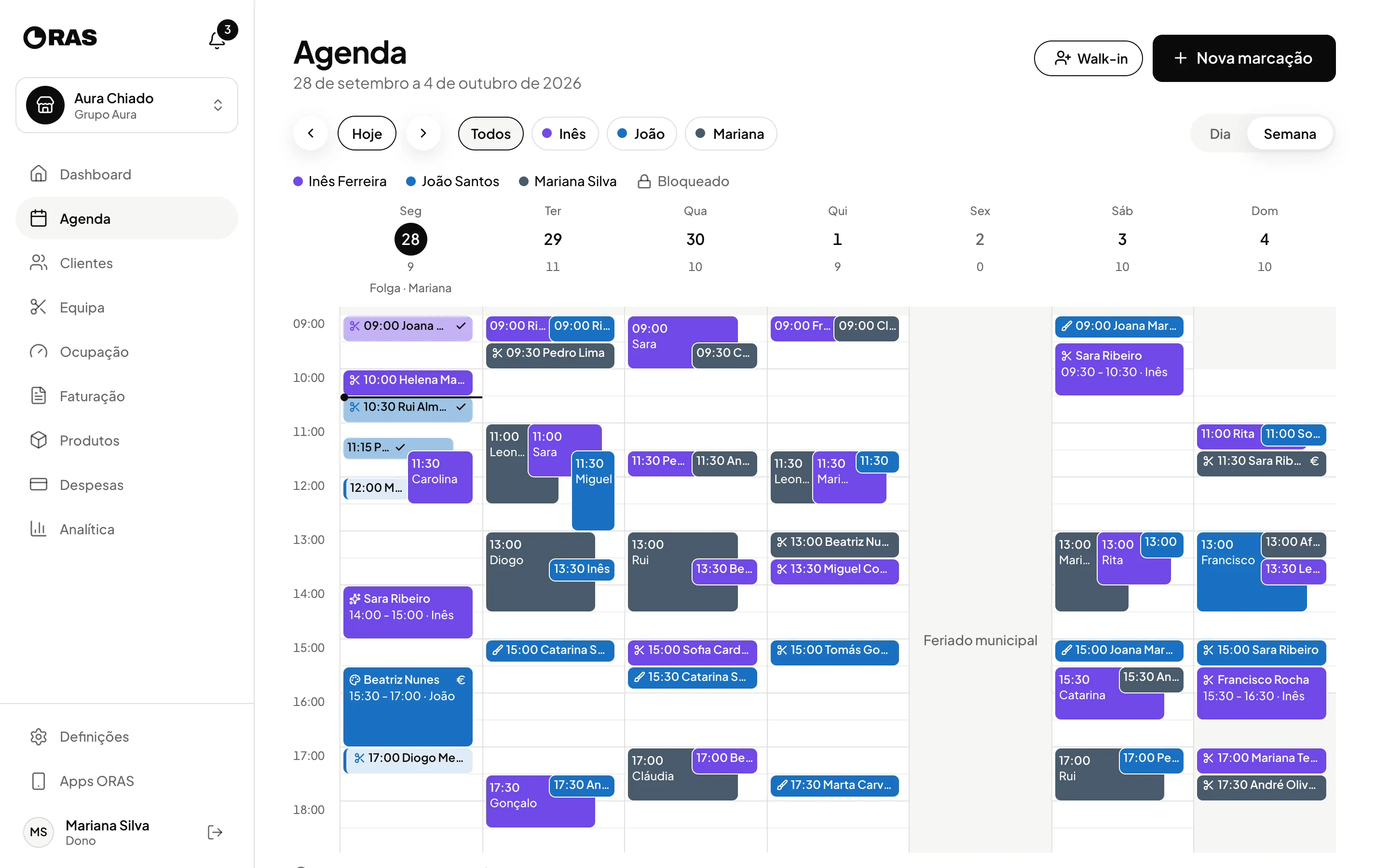
Day or week, one column per professional, and each booking’s status on the block itself. Colours can follow the person or the service.
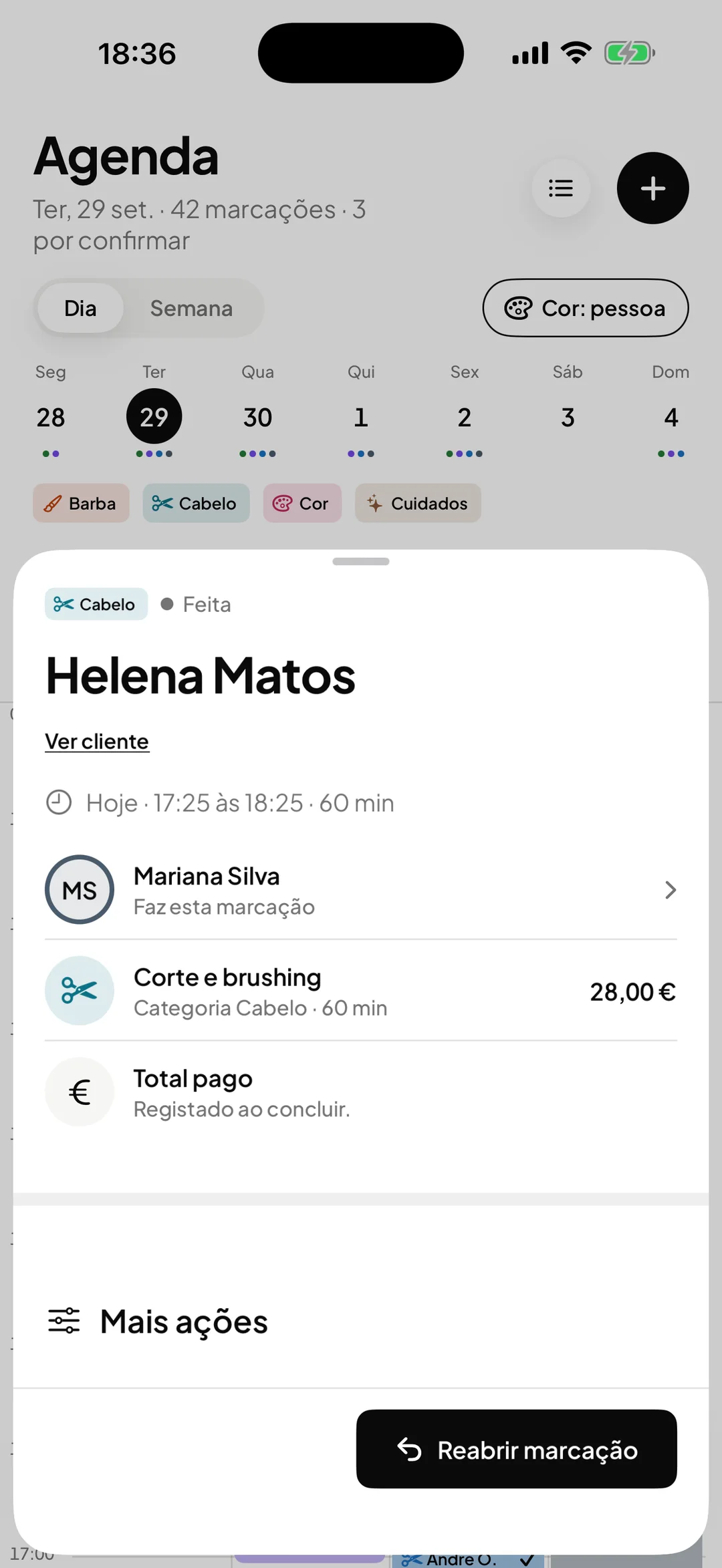
Bookings
A completed, no-show or cancelled booking can be undone. When you reopen a completed visit, the app warns that its invoice and loyalty stamp are removed. A visit that was already refunded cannot be reopened, and the app says why.
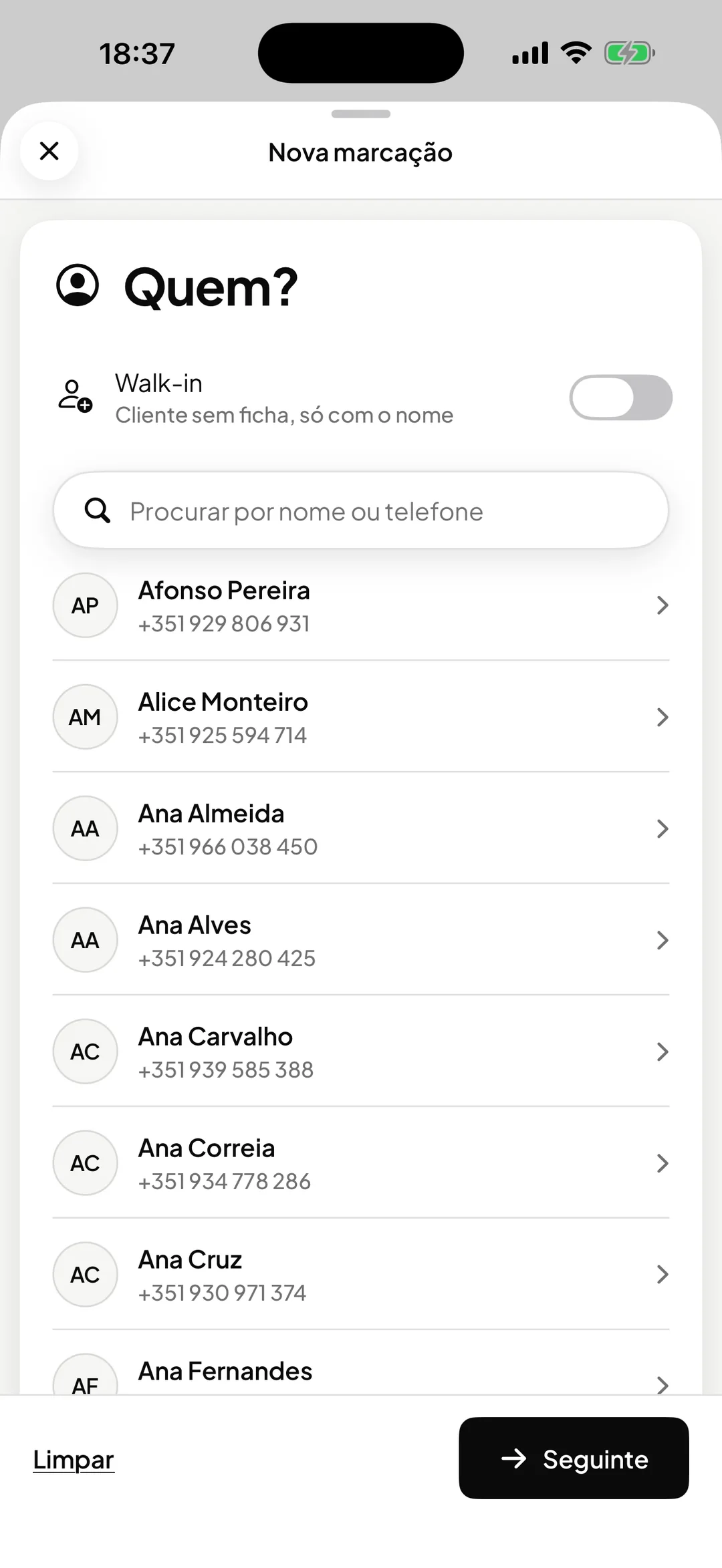
New booking
Who, what and when. Find the client by name or phone, and a walk-in goes in with just a name.
Clients
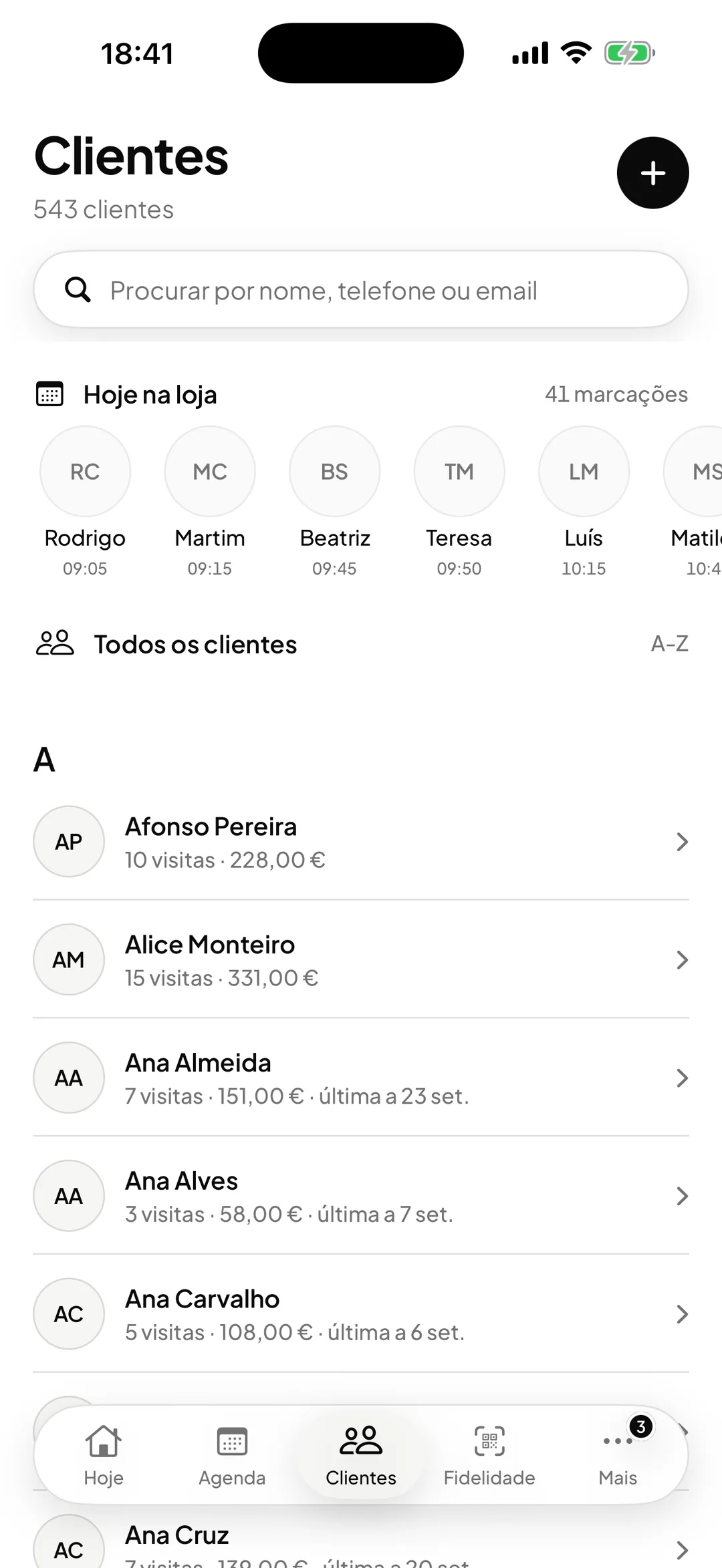
Visits, spend and last visit for each client, and at the top the people coming in today.
Loyalty
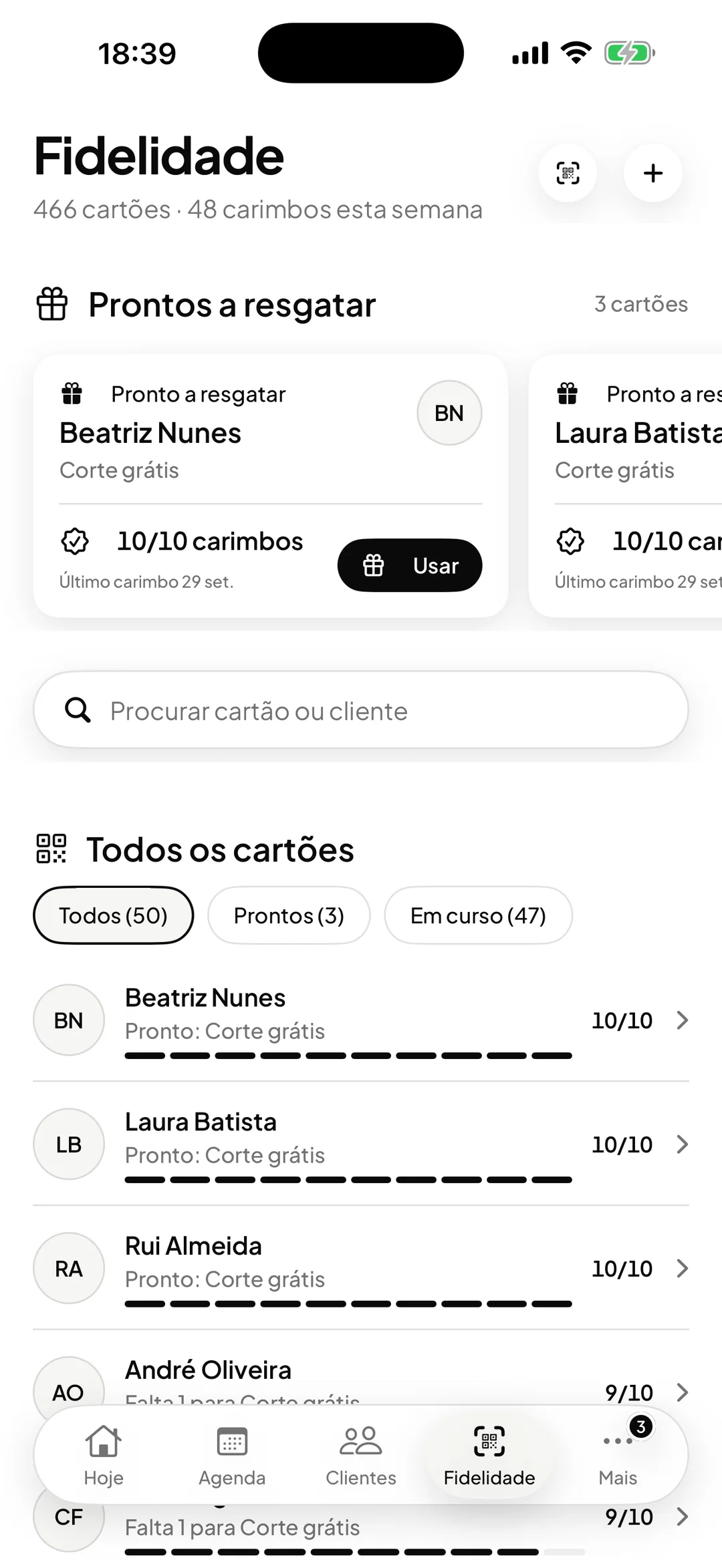
With stamps, whoever can already redeem comes first, with the Use button at hand. With cashback, each client shows the balance they hold. The QR scanner sits in the corner of the screen.
Analytics
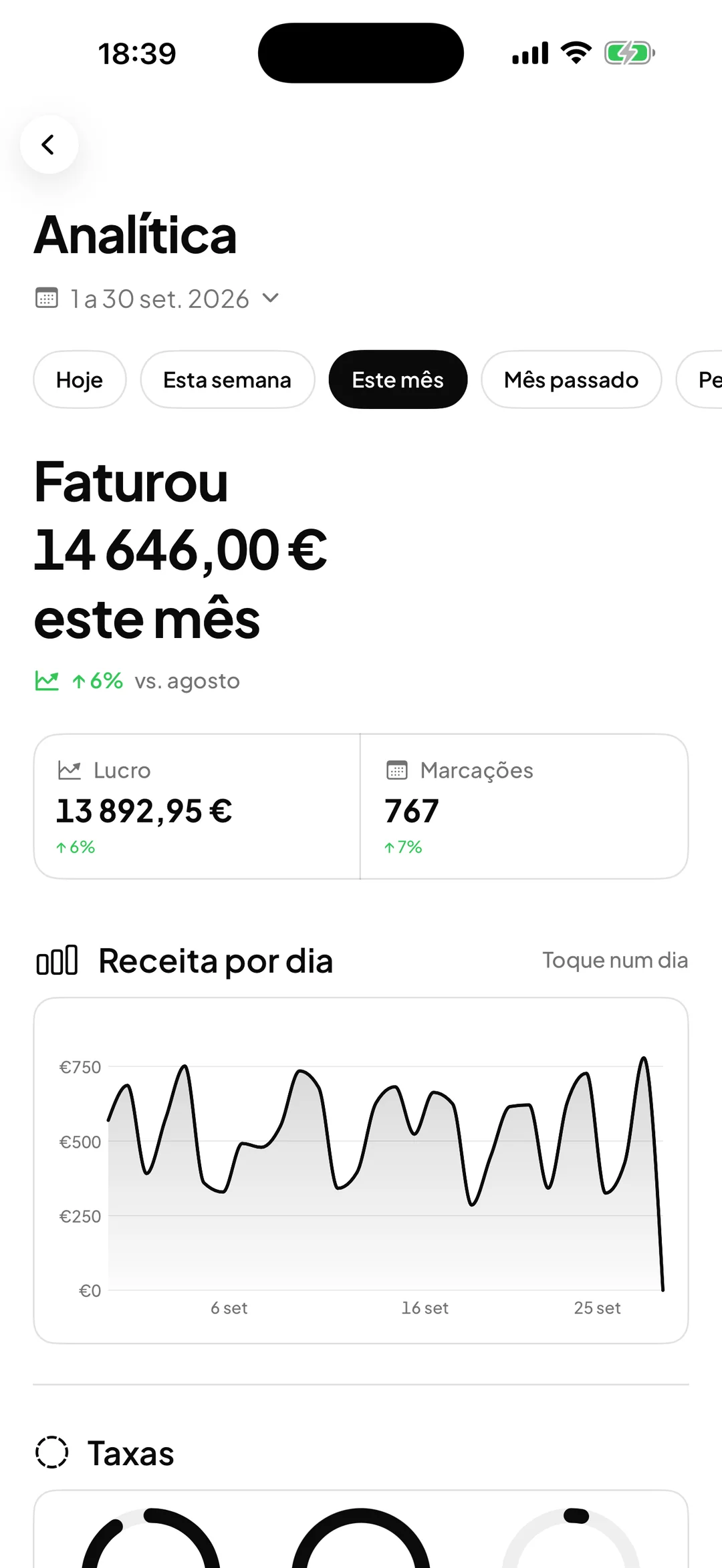
Takings, profit and bookings by day, week or month, compared with the previous period, and each day’s revenue on a chart.
Expenses
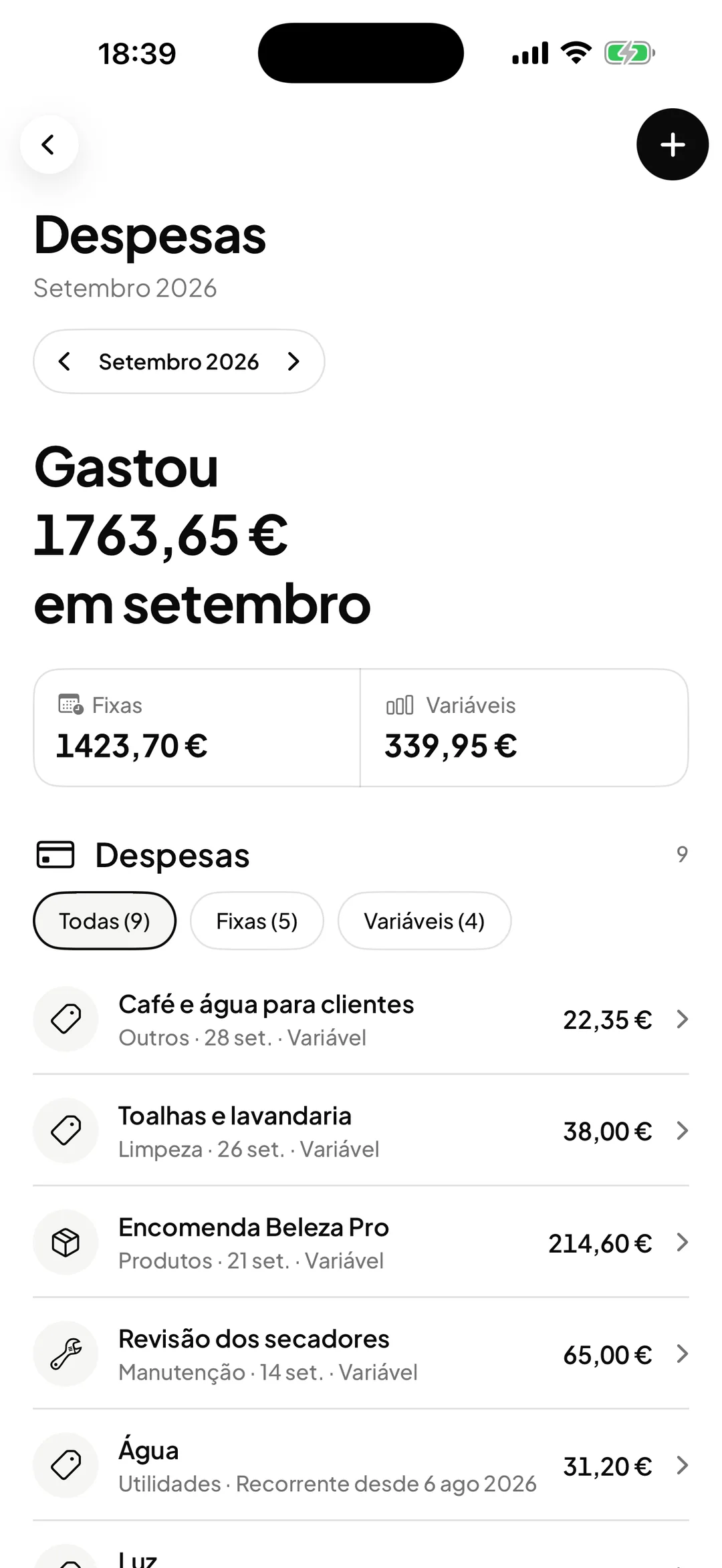
Enter the rent, water or electricity once: recurring expenses appear on their own in the following months, split into fixed and variable.
Loyalty
Choose how to reward the people who come back. The card lives in the client’s Apple Wallet or Google Wallet: no app to install, no paper to lose.
7 of 10 stamps
Demonstration with sample data.
See loyaltyOn the desktop
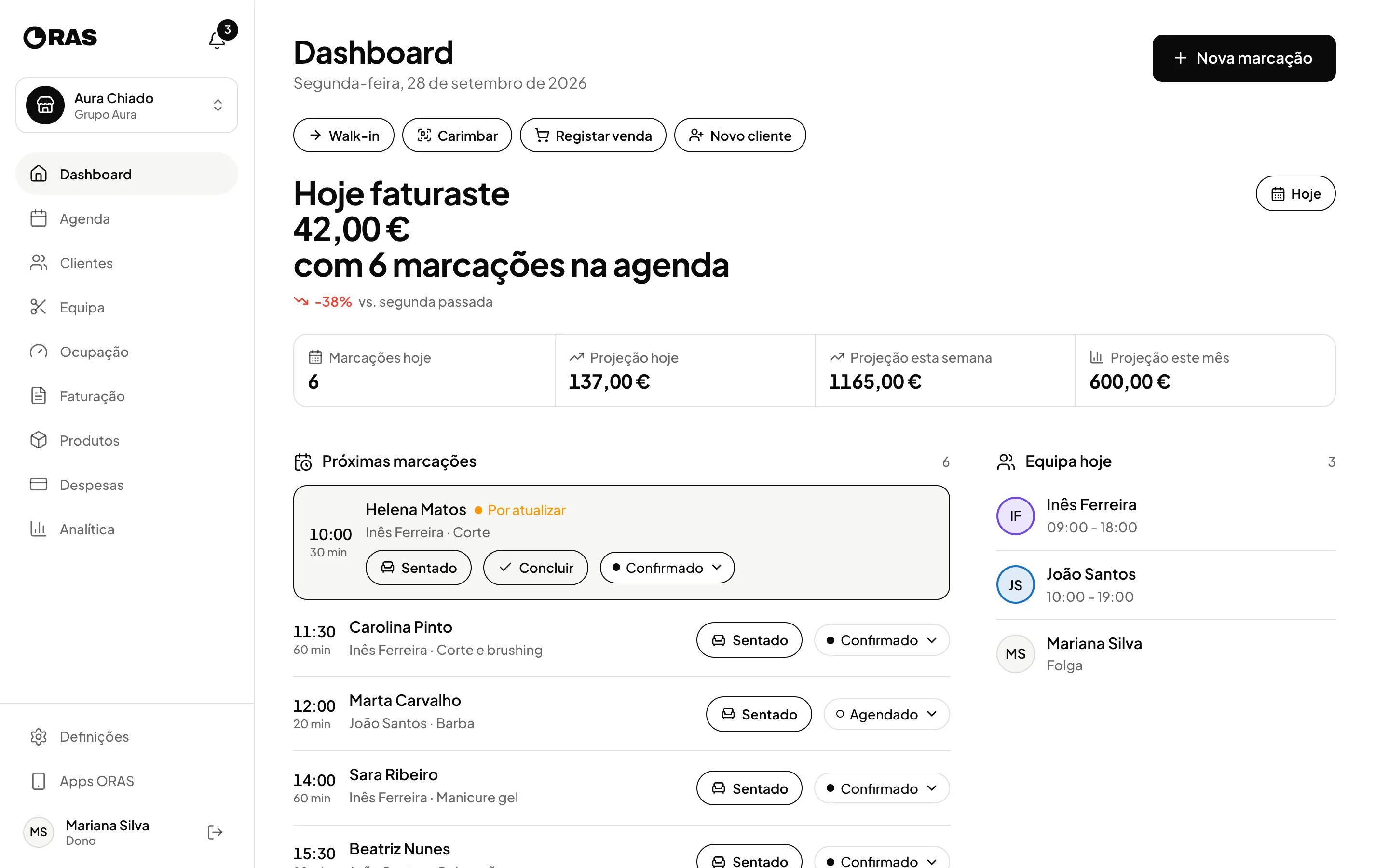
The same system in your desktop browser, built to stay open at the front desk and to see the business with more room.
Trust
Data is kept in data centres in the European Union, over encrypted connections and with access set by each person’s role, in line with the GDPR. The data is yours, and support is in Portuguese, from people who know the product.
EU privacy
European data centres
Straight to your account
We resell and set up Moloni

Who it is for
8 results

Cuts, colour and treatments, each with its own duration and each professional’s calendar.

Bookings and walk-ins on the same day, with a stamp card or cashback for the regulars.

Manicure, pedicure and nail art, each service with the time it actually takes.

Facials, body and waxing, with each client’s history and notes.

Short sessions back to back, with no gaps between them.

Massages and long rituals, paid in advance, with the whole team on one dashboard.

Long sessions, with the deposit paid when the client books online.

Short, repeated sessions, with the loyalty card on the phone.
ORAS fits any business that works by appointment. Tell us what you do and we will tell you whether it fits.
Pricing
No commission per booking, no add-ons and no setup fee.
Up to 6 professionals
€49/month + VAT
Book a demo7 or more professionals
€79/month + VAT
Book a demo+€19/month + VAT
for each extra location in the same account, with shared clients.
No. If you use a smartphone, you can use ORAS. At activation we train your team and leave the account set up with your services, hours and clients.
€49 a month + VAT per location for up to 6 professionals, or €79 a month + VAT from 7. Each extra location in the same account is €19 a month. Every feature is included.
No. ORAS takes no commission per booking. When a client pays online, only Stripe’s own fees apply, and the money goes to your account.
Yes. Our team does the migration and it is included in the price.
There is no minimum term. The subscription is monthly and you can cancel it with 30 days’ notice.
ORAS records every payment with the client, the service, the professional and the method, and exports the list for your accountant. ORAS does not issue certified invoices: tax documents are issued in your invoicing program. We are official Moloni partners: if you do not have certified invoicing software yet, we handle the subscription and setup with you.
No. They book on a web page, get confirmations by email and keep the loyalty card in their phone’s wallet.
Yes. There are iPhone and Android apps, and the dashboard works in the browser on a computer or tablet.
Data is kept in data centres in the European Union, over encrypted connections and with access set by each person’s role, in line with the GDPR. The data is yours: you can export it or ask for the account to be deleted.
Support in Portuguese from people who know the product: by email at geral@verixian.com, answered within one business day, and in a WhatsApp group for ORAS customers.
Tell us how you work and we will show you the system running. If it fits, we set it all up with you, data migration included.