Products and stock
Sell products at the counter with the right stock.
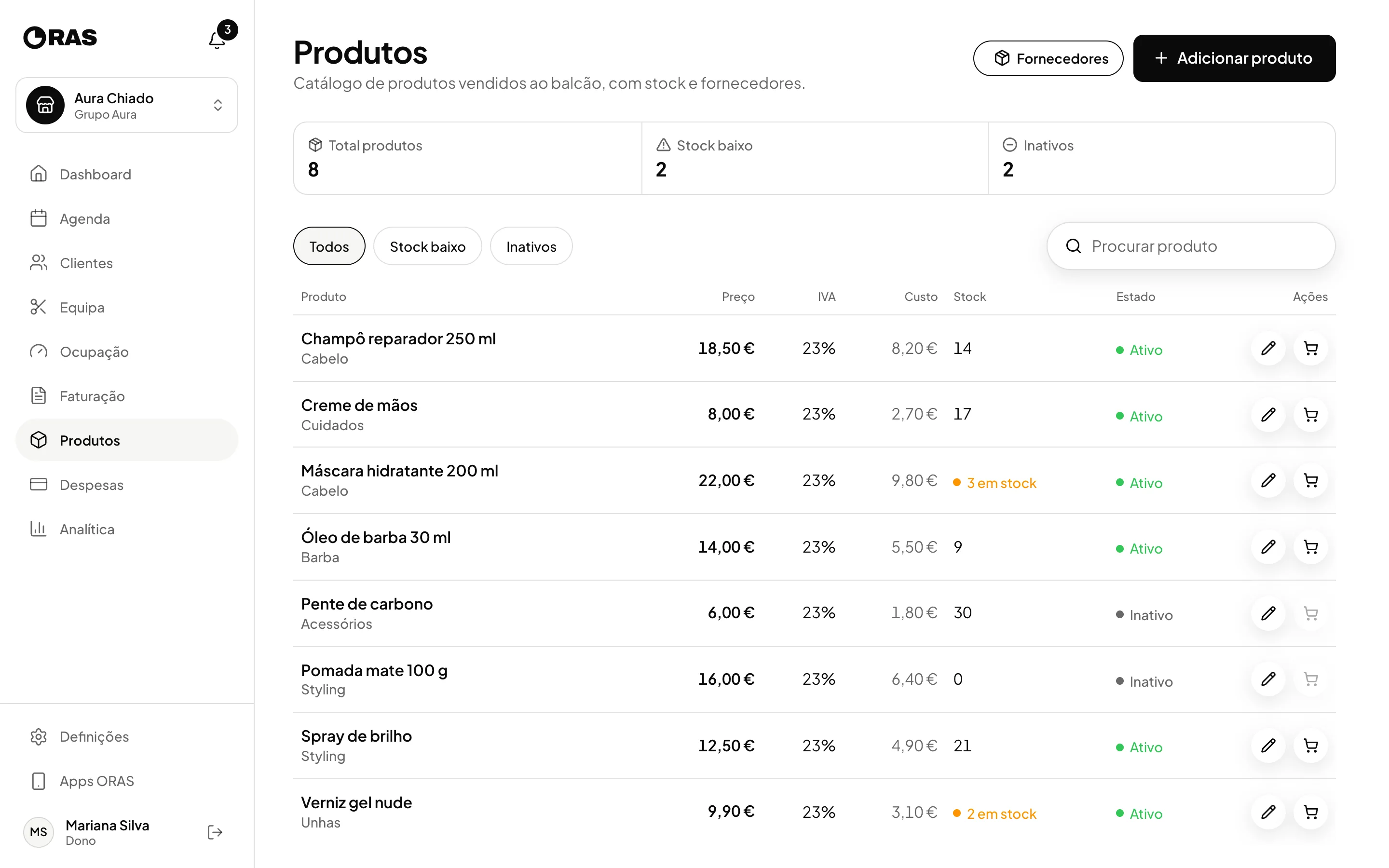
A catalogue with price, cost, VAT and stock. Each sale deducts from stock, goes in the client’s file and counts towards revenue. Each restock goes into expenses.

- ORAS commission per booking
- 0%
- Desktop, iPhone and Android
- 3
- Client card in Apple and Google Wallet
- Wallet
- Every feature included
- 1 plan
Made in Portugal · Data hosted in the European Union
What it does
Stock that deducts itself
Each sale lowers the stock. When it reaches zero, the product becomes inactive and can no longer be sold until you restock it.
Sales as they happen
Record a sale with several products during a booking, from the dashboard or with no booking at all, along with the payment method.
In the client’s file
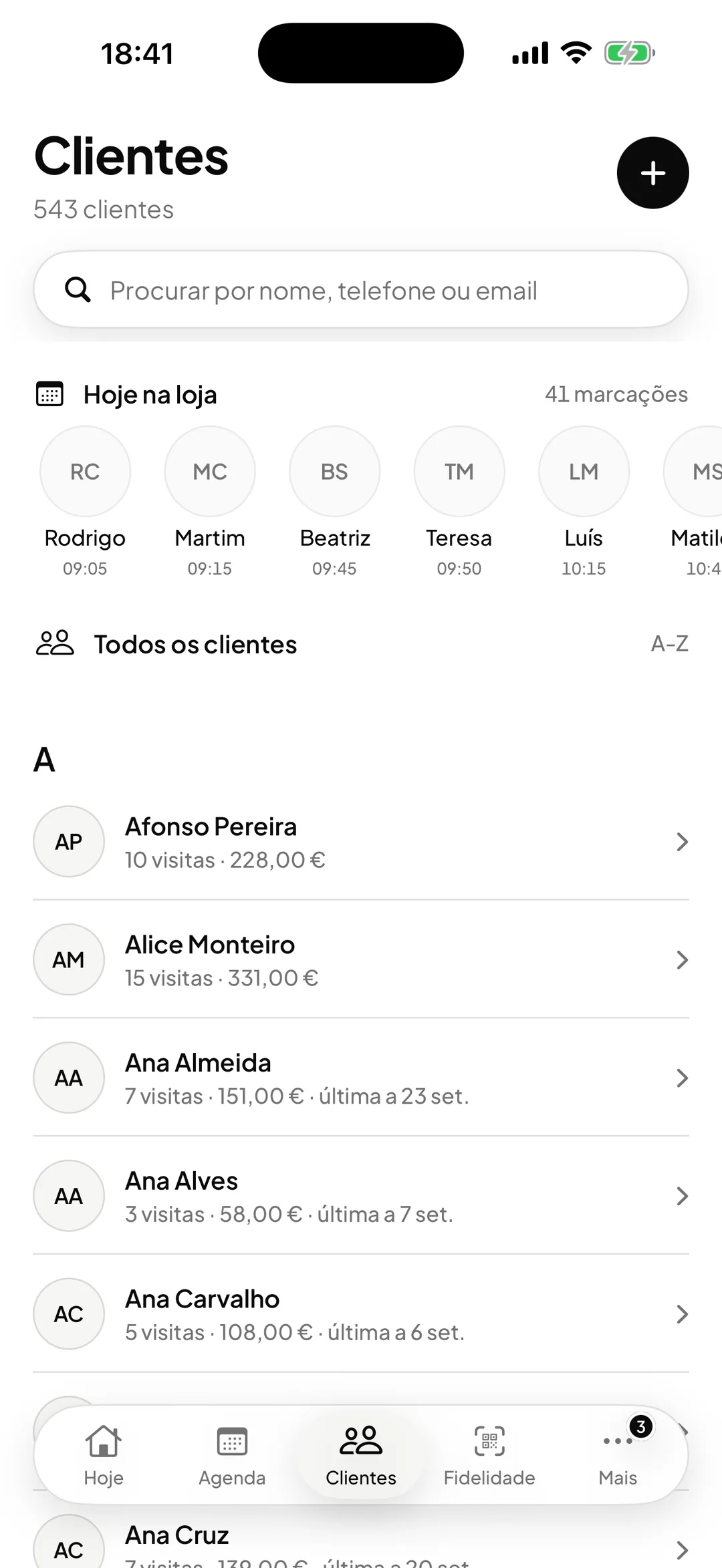
Link the sale to a client and it appears in their file and adds to their total spent. You can also sell without naming a client.
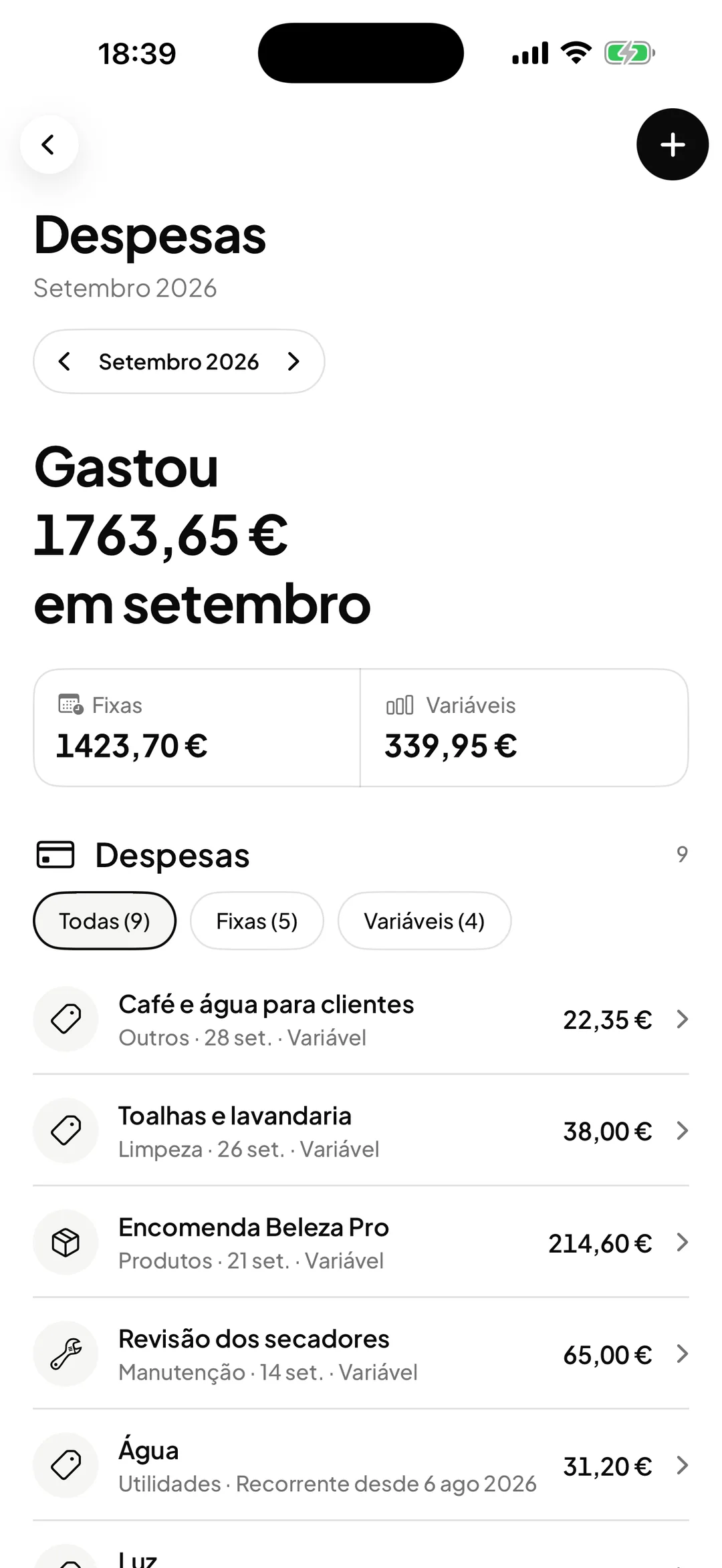
Purchases in expenses
Restocking is a step of its own: you enter the quantity and the cost, and the purchase is recorded as an expense.
How it works
Create the catalogue
Name, category, price, cost per unit, VAT, minimum stock and supplier.
Sell
Add the products, choose the client if there is one, and the payment method. Stock updates immediately.
Watch for low stock
The product list shows how many are at or below minimum stock and which are inactive.
Restock
When you restock, you add the units to stock, update the cost and price if they changed, and the product becomes active again.
Frequently asked questions with straight answers.
Do product sales show up in Analytics?
Yes. Product revenue is shown separately from service revenue and counts in the total, in the payment methods and in the email reports.
Can I keep my suppliers?
Yes. Products has the list of suppliers, and you can link each product to its own.
Does ORAS warn me when stock is low?
In the product list, yes: those at or below minimum stock are flagged. It does not send email alerts.
Related features
Expenses
Know how much is left at the end of the month.
Fixed and variable, by category, with profit worked out.
Learn more ExpensesClients
Every client, with their history in view.
A file with visits, purchases, total spent, no-shows and notes, shared across locations.
Learn more Clients
See ORAS for your type of business
See moreSee less
or feature by feature
Want to see ORAS with your own data?
Tell us how you work and we will show you the system running. If it fits, we set it all up with you, data migration included.
- A 30-minute demo, no commitment
- Data migration included
- No minimum term, 30 days’ notice
- Support in Portuguese by email and WhatsApp