ORAS Marcações
Your clients’ app, with no competition next to it.
Your clients install ORAS Marcações, join your shop with the link or QR code you give them, and from then on book, change and cancel on their own. It is not a marketplace: there is no shop search and no ratings.
For iPhone and Android. Free for your clients and included in your ORAS plan.
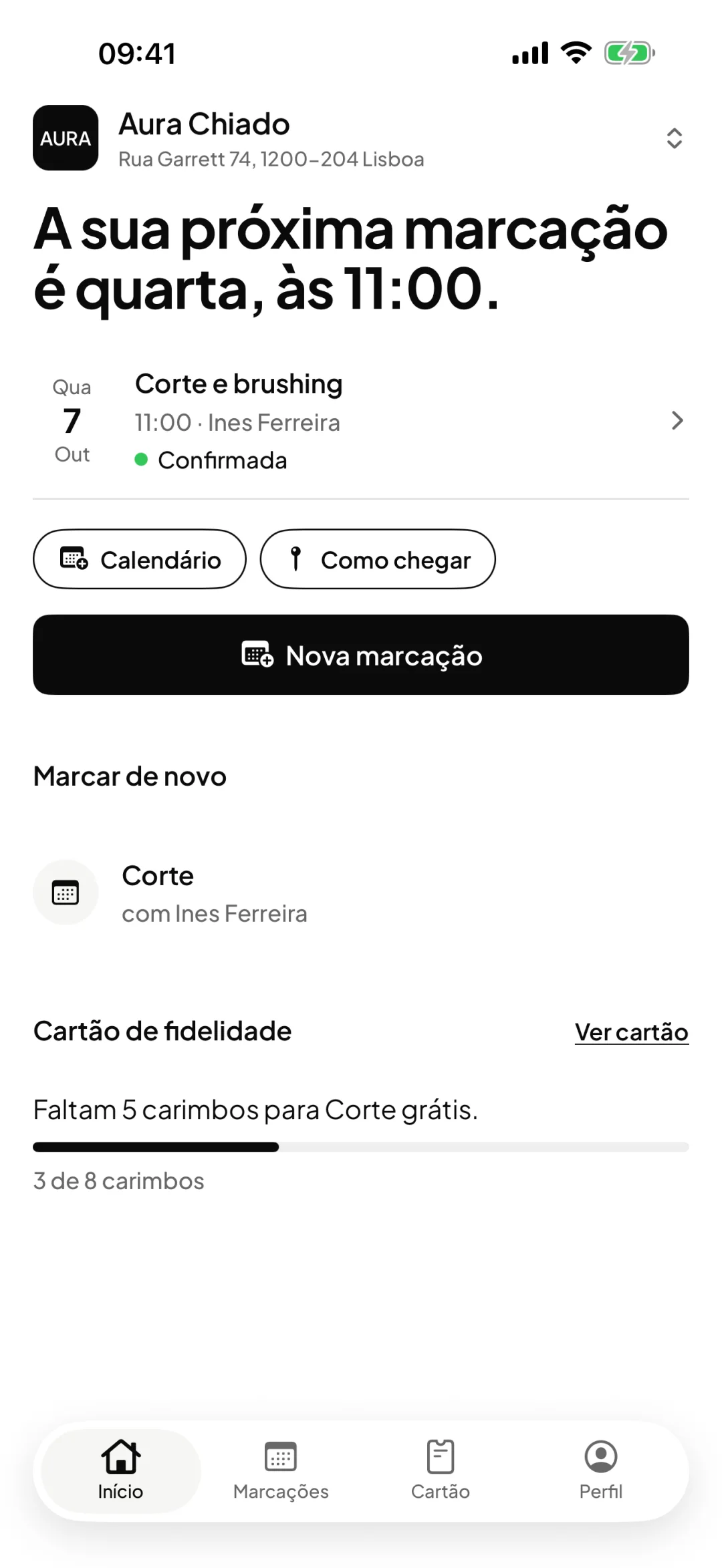
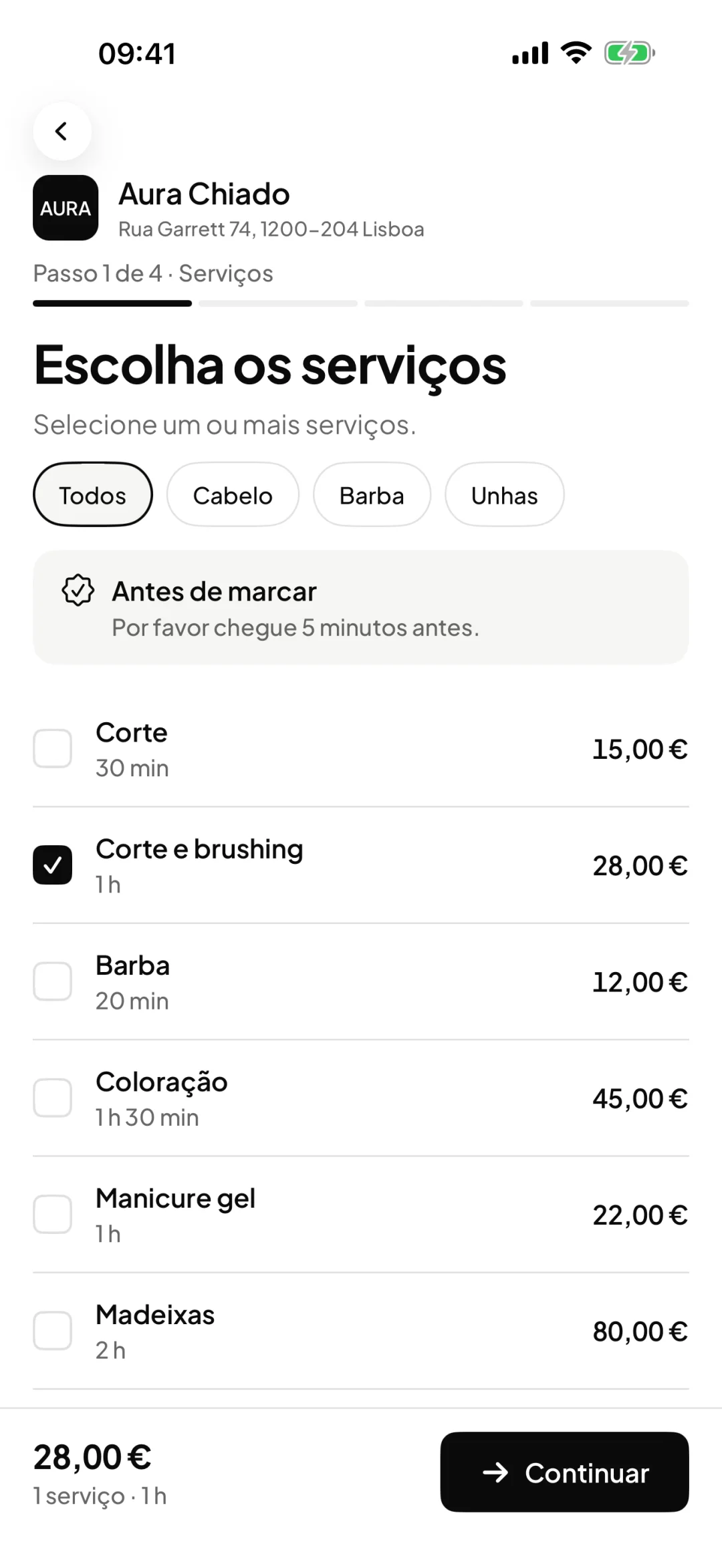
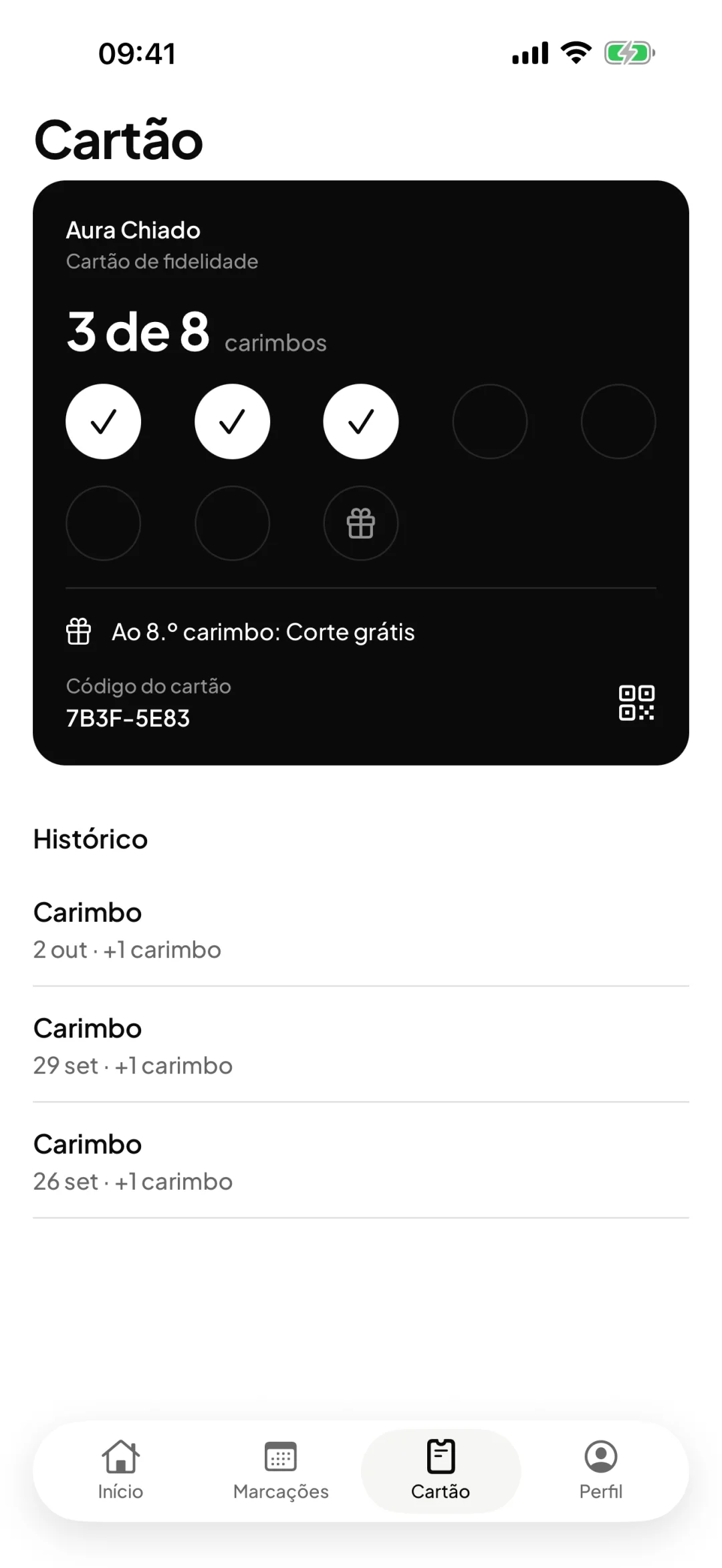
If there is already a link, what is the app for?
The link is for arriving
A new client does not install an app to book for the first time. They open the link, choose and book. That is why the booking link is still there.
The app is for coming back
People who come every month do not want to go looking for the link. In the app, your shop is saved: they open it, tap Book again and choose the time.
It is not a marketplace
ORAS Marcações has no shop search, ratings or advertising. The client only sees the shops they have already joined, starting with yours.
How it works, from the link to the next visit.
The client joins your shop
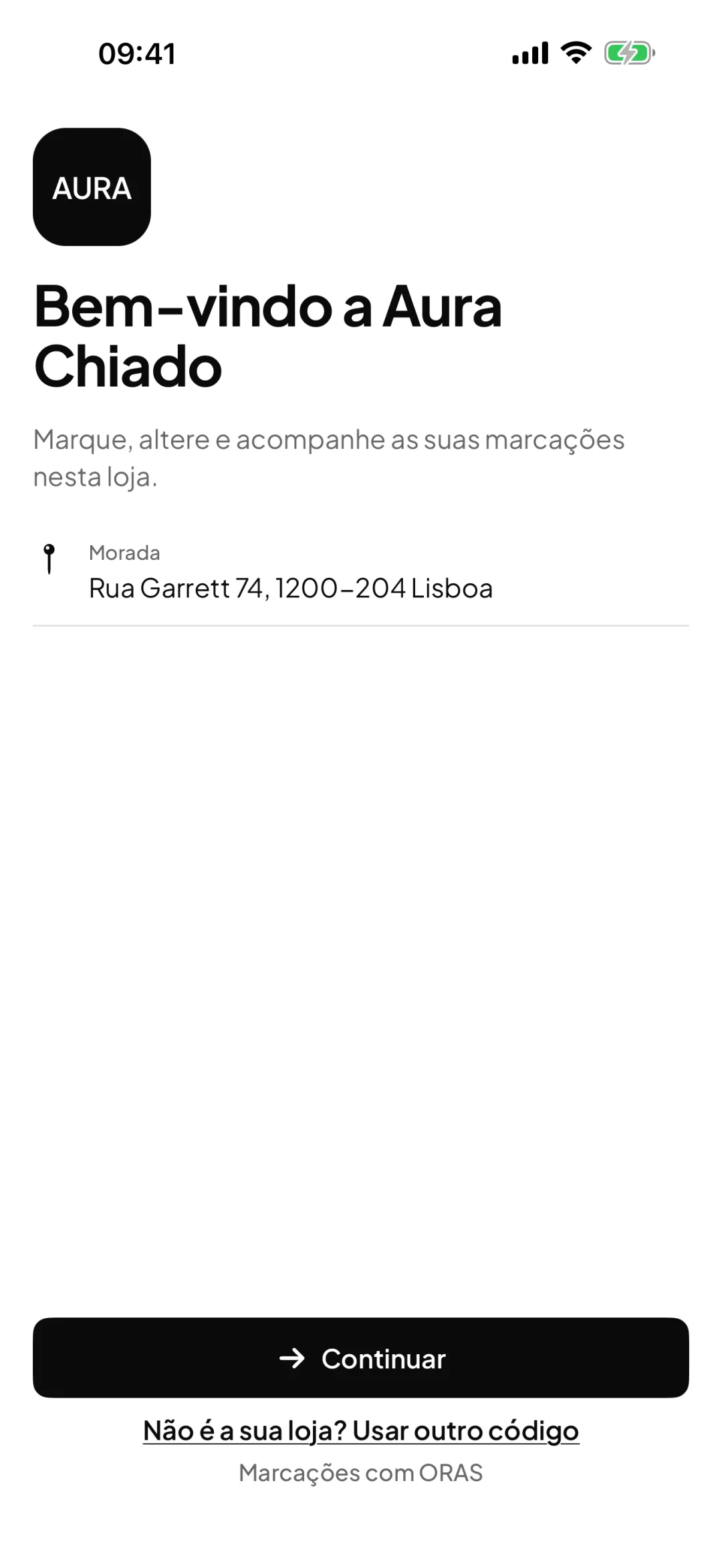
They open the booking link, scan the QR code or type the shop code. The app shows your shop by name, and the client creates an account with Apple, Google or email, with no password.
The client chooses the service, professional and time
They see your services with their duration and price, choose the professional or leave it with no preference, and get your team’s free times.
The booking goes into your calendar
It is confirmed like any other, or pending if you prefer to approve each request. If you ask for a deposit or a card on hold, the client takes care of it in the app itself, on a Stripe payment page.
The client changes or cancels on their own
Up to the deadline you set, the client reschedules or cancels in the app and sees the cost before confirming. After the deadline, the app suggests calling the shop.
The client sees the stamps and comes back
If your shop has a loyalty card, the client sees the stamps and the reward in the app. For the next visit, they only need to tap Book again.
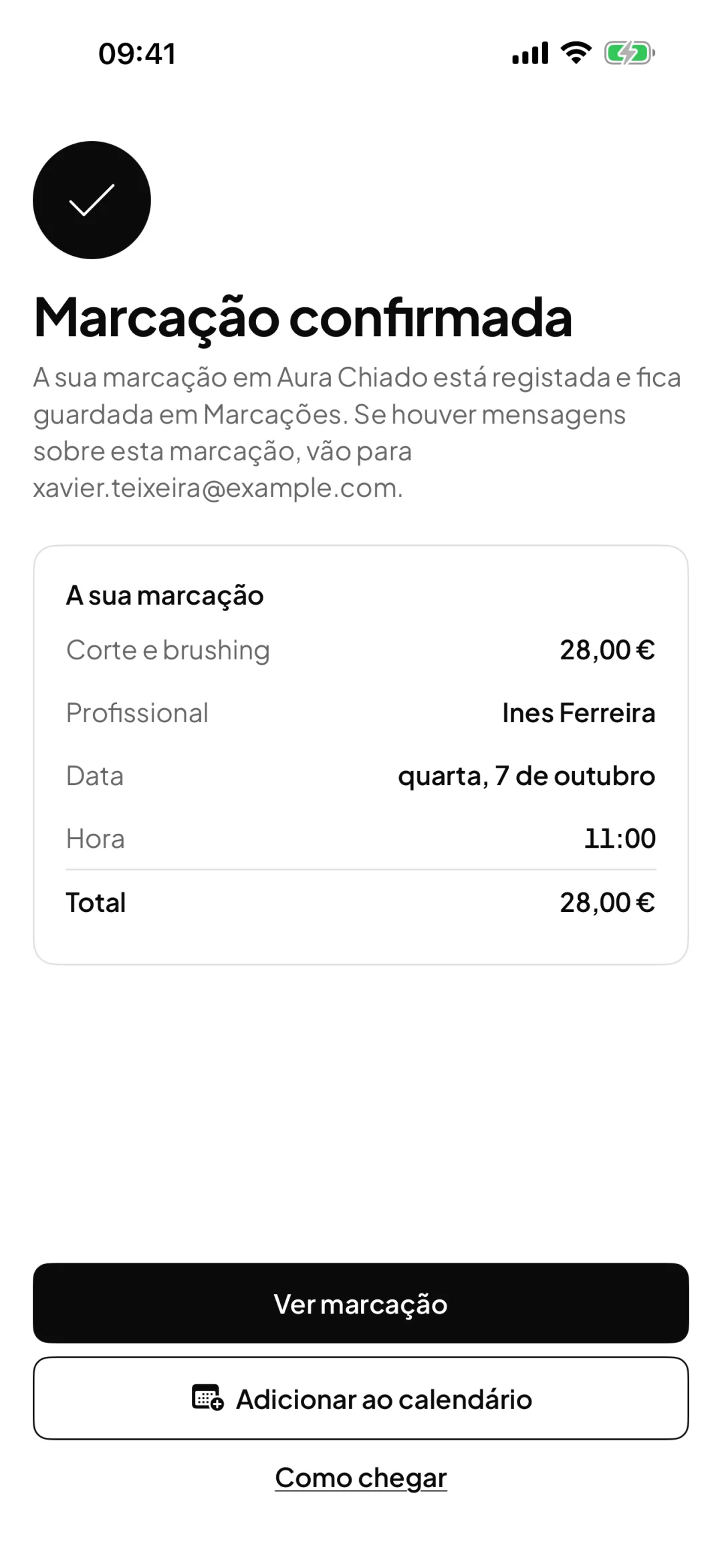
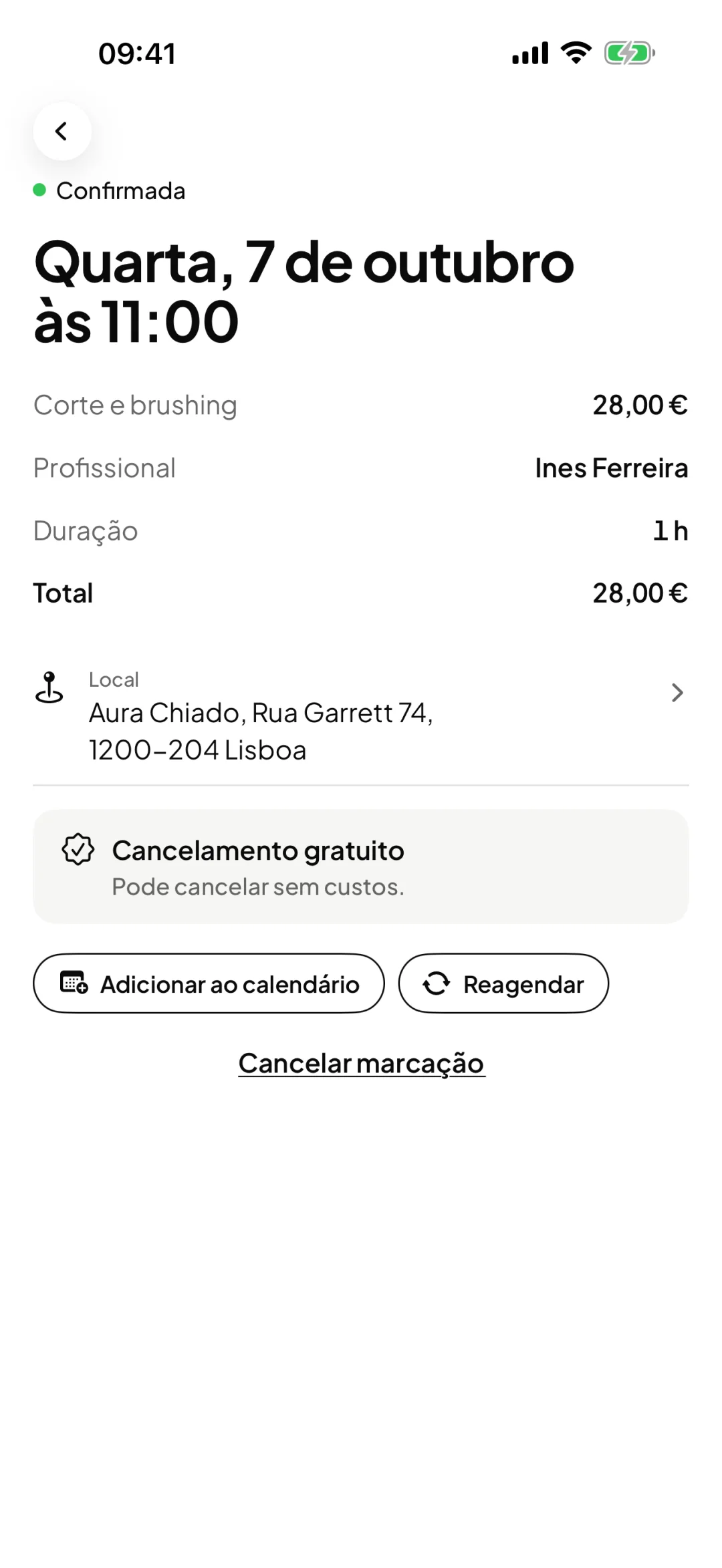
For your clients
One link for booking, one app for coming back.
The booking link works for anyone, with nothing to install. The ORAS Marcações app is for people who come back: they keep your shop on their phone and book in a few taps. Both fill the same calendar.
Booking link
A link with your shop’s name. Put it on Instagram, on WhatsApp or in a QR code at the counter.
- Opens in the browser, nothing to install
- The client chooses the service, the professional and the time
- Made for the first booking
ORAS Marcações app
Your clients’ app. They join your shop with the same link, the QR code or the shop code.
- The next booking always in view
- Book again, change the time or cancel, within your rules
- The loyalty card, with the stamps
Download on theApp StoreGet it onGoogle PlayFor iPhone and Android. Free for your clients and included in your ORAS plan.
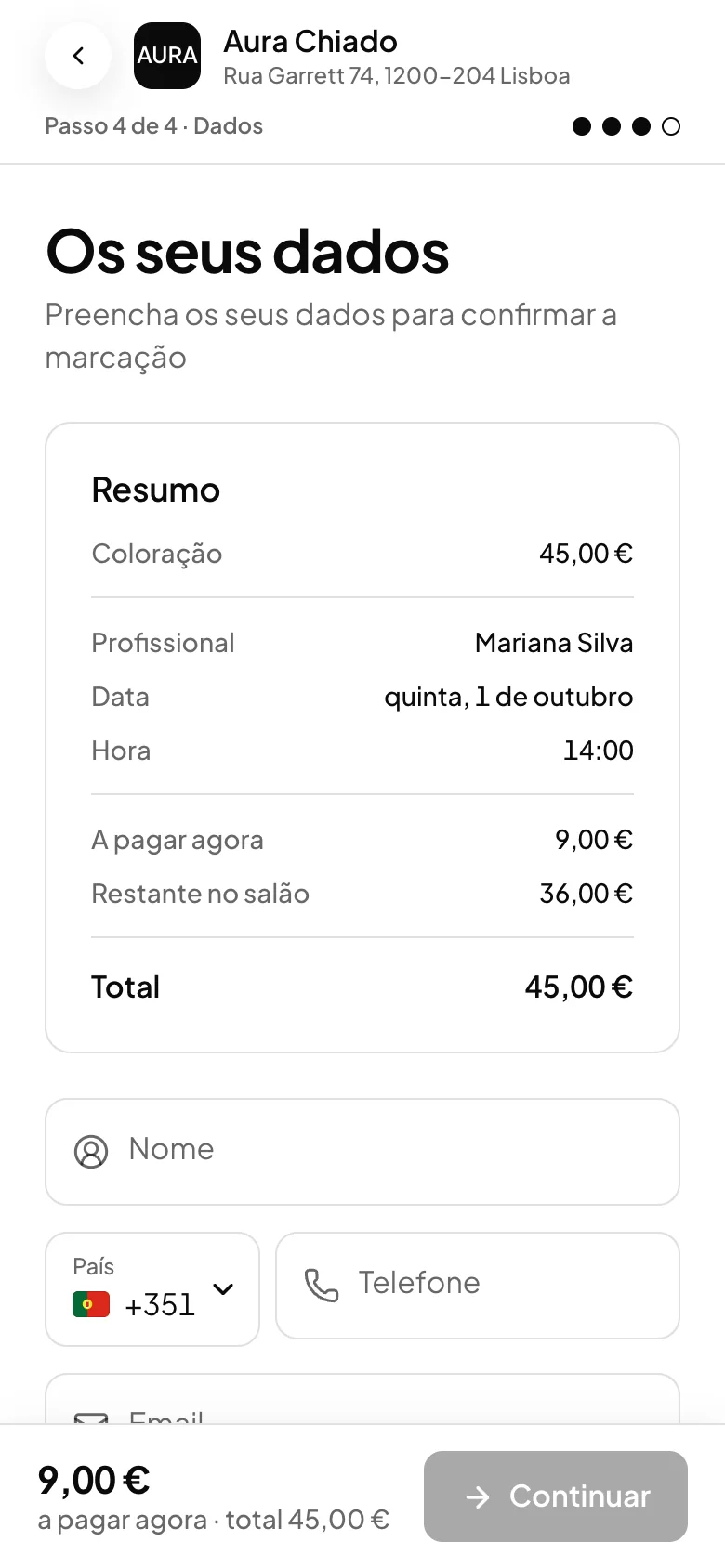
Both land in the same calendar
Whether it comes from the link or the app, the booking goes into your ORAS calendar with the service, the professional and the time. If you ask for a deposit, it is handled in the booking, in both cases.
Booking link and app: each one has its own job.
You do not have to choose. The link is the front door, the app is for those who stay. Use both.
| What changes | Booking link | ORAS Marcações app |
|---|---|---|
| Who it is for | Anyone, from the very first time | Clients who come back |
| Needs installing | No. Opens in the browser on a phone or computer | Yes, once. It is free |
| How they join your shop | Opens the link or scans the QR code | Opens the same link, scans the QR code or types the shop code |
| Booking | Service, professional and time, with real availability | The same, and Book again in a few taps |
| Deposit or card on hold | Handled in the booking, if you ask for it | Handled in the app, if you ask for it |
| Changing or cancelling | From the link in the email, within your rules | In the app, within your rules |
| Loyalty card | In Apple Wallet or Google Wallet | In the app, with the stamps and the reward |
| Where the booking ends up | In your ORAS calendar | In your ORAS calendar |
The same link works for both
If the client has the app installed, your shop’s link opens the app. If not, it opens the booking page. You do not need two links, or to explain anything to anyone.
Frequently asked questions with straight answers.
Do my clients have to install the app?
No. The booking link keeps working in the browser, with nothing to install. The app is for those who prefer to have your shop on their phone.
Do my clients see other shops in the app?
Only the shops they have joined themselves. ORAS Marcações has no shop search, ratings or advertising.
How does a client find my shop in the app?
Through the booking link, through the QR code, or by typing the shop code, which is the name that appears at the end of your link.
How much does it cost?
The app is free for your clients and included in your ORAS plan, at no extra cost. ORAS takes no commission per booking.
Do bookings made through the link appear in the app?
Not automatically. The client can add a booking to the app by opening in the app the link they received by email, as long as the email is the same as the one on their account.
Can the client pay the deposit in the app?
Yes, when you ask for a deposit, full payment or a card on hold for that service. Payment is made by card, on a Stripe page opened inside the app, and the money goes to your Stripe account.
What about anyone who does not want to install anything?
They book through the booking link, on any phone or computer. The booking goes into your calendar in the same way.
See ORAS for your type of business
See moreSee less
or feature by feature
Want to see ORAS with your own data?
Tell us how you work and we will show you the system running. If it fits, we set it all up with you, data migration included.
- A 30-minute demo, no commitment
- Data migration included
- No minimum term, 30 days’ notice
- Support in Portuguese by email and WhatsApp